








People often focus on checking the content before uploading on TikTok, but there are many other aspects you can optimize to boost your performance.
To ensure the algorithm understands your post and your audience gets the best viewing experience, here are 10 things I always check before posting on TikTok:
Checking your video quality and text placement
Before you publish, take a quick look at your video quality.
Make sure everything is within a readable screen, and no important details is lost under TikTok’s UI.
- Keep text away from the right edge where the like and comment icons sit.
- Avoid the bottom area where your caption and audio name appear.
- Place key titles near the upper middle section of your frame.
Testing your opening hook in the first 3 seconds
People scroll through TikTok quickly, so the first few seconds of your video are crucial. TikTok measures your hook rate – the percentage of total viewers that watch your video past the first three seconds. This metric is used to decide whether or not your video can be put on the FYP.
Creators recommend jumping straight into the action rather than spending time on long introductions. You should also try to cut out empty pauses in the clip.
Try adding a text title to your screen right away or starting with a clear statement that lets people know what the video is about. This helps increase hook rate and signals to TikTok that your video can keep users on the app longer.
Writing captions with searchable keywords
Crafting a good TikTok caption can be tricky. Some people may even think captions do not matter, as people rarely read it on TikTok.
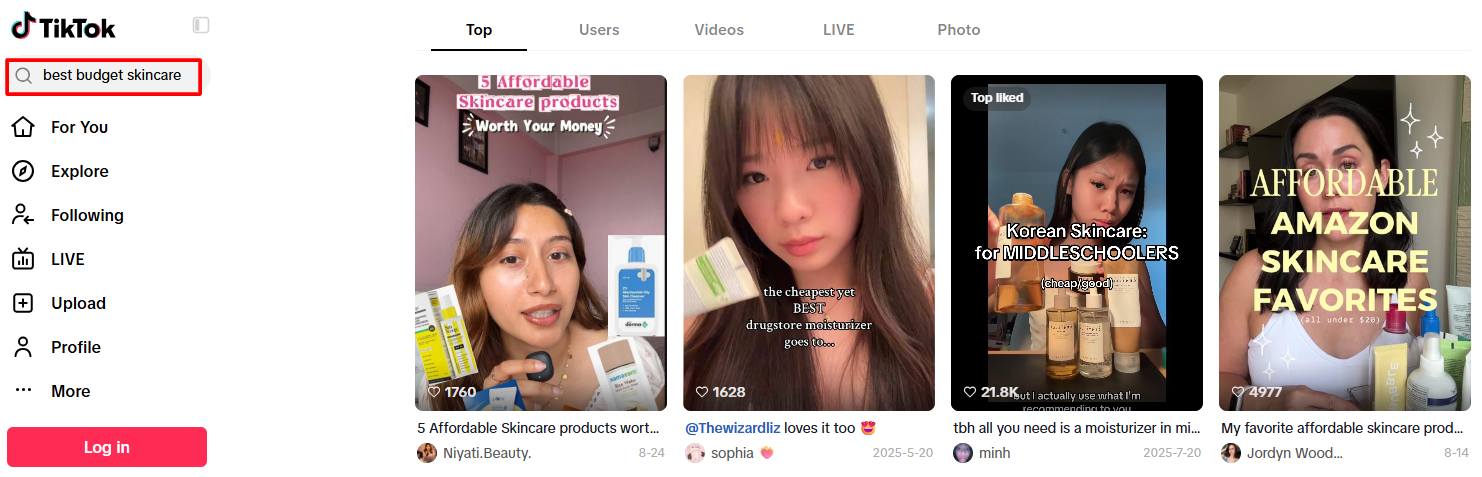
However, captions can contain SEO keywords that help your video show up when users search for something.
Yes, TikTok SEO is a thing. TikTok functions like a search engine now, reading captions and recommend videos to people searching for specific topics. Because of this, writing a descriptive caption with natural keywords is very helpful.
Some creators write short captions with a hook, while others write longer, educational posts. Personally, I prefer keeping captions concise and straight to the point, but both styles work. The key is including words your target audience might type into the search bar. If you share baking tips, include phrases like “easy chocolate cake recipe” in your first sentence.
Choosing relevant hashtags for your niche
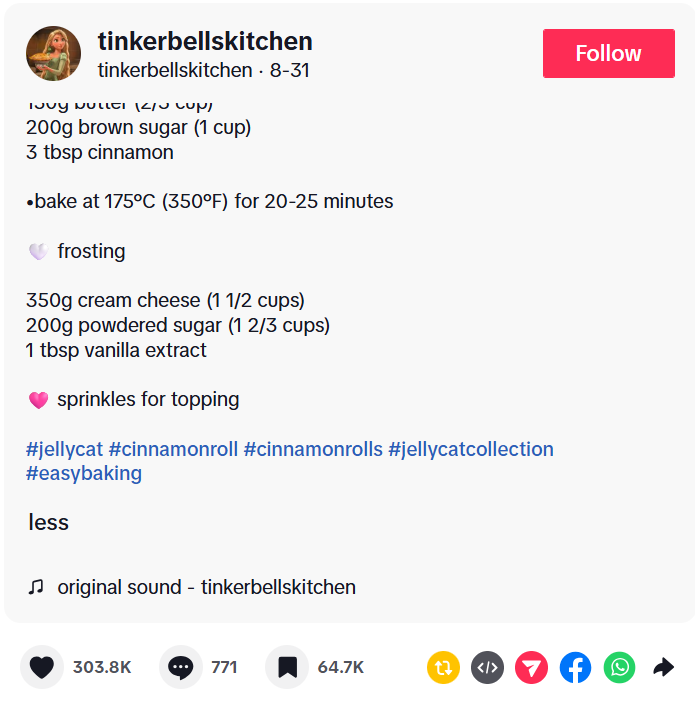
It is tempting to throw dozens of trending hashtags into your caption, but sticking to a few relevant tags is much cleaner and more effective.
Using three to five focused TikTok hashtags gives the platform clear signals about who should see your video without cluttering your post. I like to use a simple mix:
- One broad hashtag for your general topic (like #easybaking).
- Two or three specific hashtags for the exact video topic (like #cinnamonroll).
- One hashtag for your brand or account name.
Tagging locations and relevant accounts
Tagging is a quick step that is easy to forget, but it can give your post extra reach.
If your video relates to a physical store, local event, or specific city, add a location tag. Geographic relevance is one factor the app uses to recommend content to local users.
If you talk about another creator, client, or brand in your video, tag their account in the caption. This makes it easy for them to engage with or repost your clip.
Enabling Duet, Stitch, and comment settings
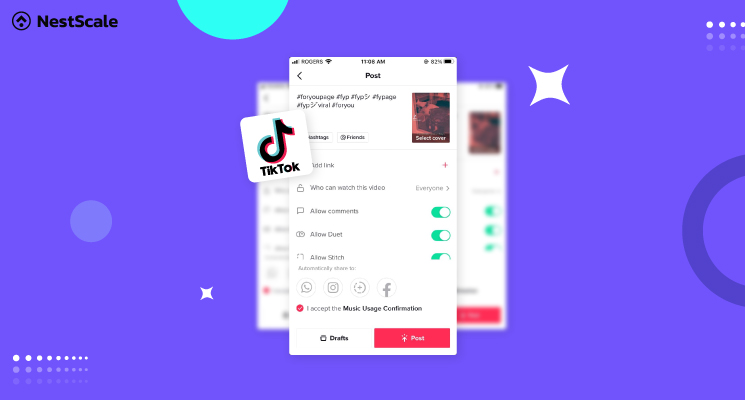
Before posting, check your interaction settings on the final upload screen. Allowing viewers to react to and use your content is one of the best ways to get extra exposure.
Make sure you have turned on Duet and Stich to let other creators react to your video. When someone Stitches your clip, your handle stays attached to their video, bringing new viewers back to your profile.
- Open the final post screen.
- Ensure the toggles for Allow Duet and Allow Stitch are turned on.
- Make sure Allow Comments is enabled before posting on TikTok.
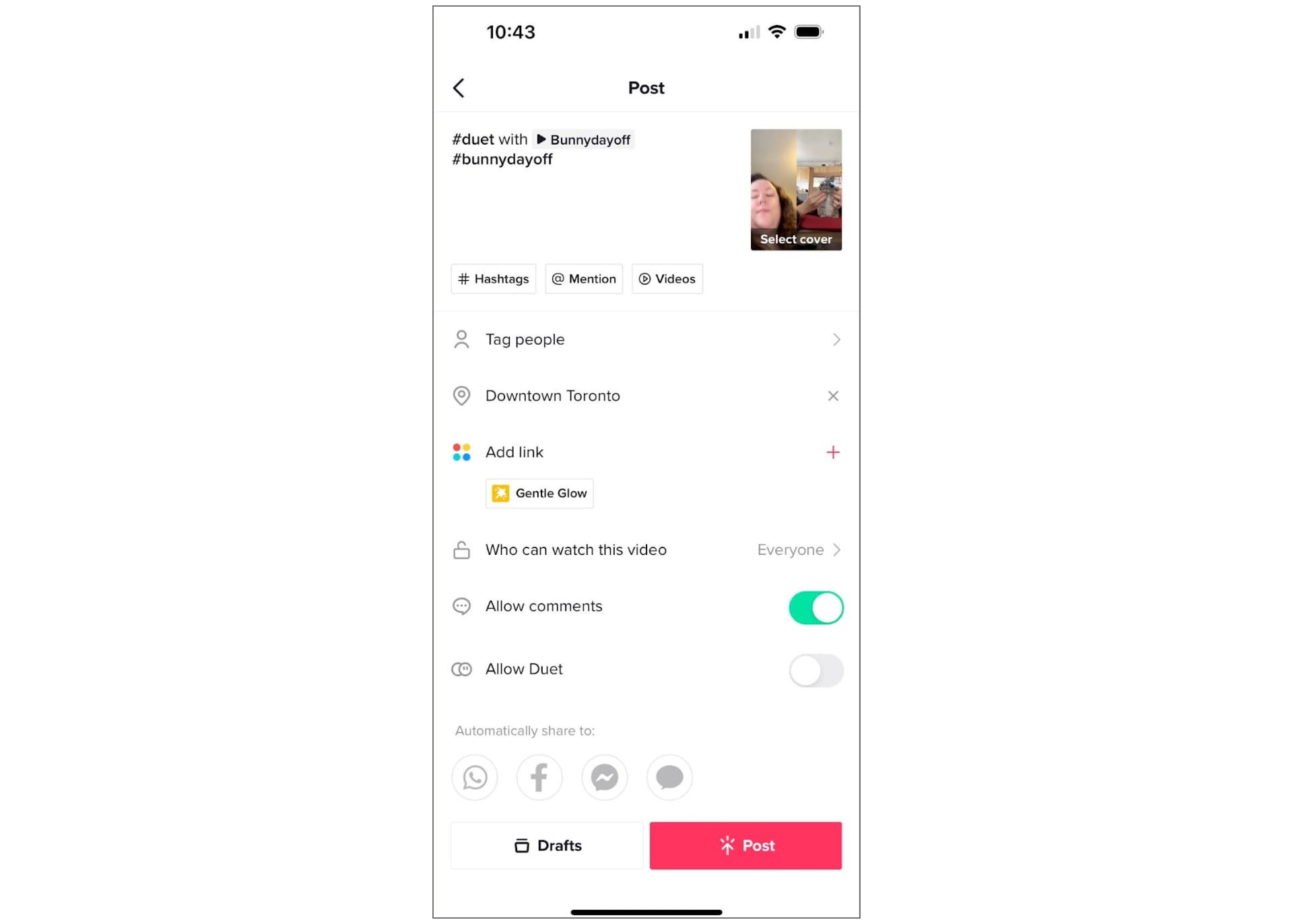
In case your video IS a Duet, read our article: How to Duet on TikTok & 12 Duet Ideas to Go Viral
Balancing your voice and background music
If you use background music under a voiceover or spoken video, make sure the music is not too loud. Viewers usually will not stick around if they have to strain to hear what you are saying.
TikTok notes that clear audio quality is essential for a good viewer experience. When I add a trending sound behind a spoken video, I always adjust the audio levels before posting:
- Lower the background music volume to around 5% to 15%.
- Keep your main voice audio at 100%.
This lets you use popular TikTok sounds to boost discovery while keeping your message clear.
Turning on high quality video uploads
Have you ever uploaded a crisp video only to find it looks slightly blurry once published? TikTok sometimes compresses uploads to save data, but you can turn on a setting to prevent this.
To ensure your video posts in full resolution:
- Scroll to the bottom of the final sharing screen and tap More options.
- Turn on the toggle for Allow high-quality uploads.
- Check this switch occasionally, as app updates can sometimes turn it off.
Setting a clear cover image with title text
When someone visits your account page, your profile grid acts as your main portfolio. Choosing a clear cover image helps new visitors quickly see what your videos are about.
Setting up a clean thumbnail only takes a few seconds:
- Tap Select cover on your video preview.
- Choose a clear frame from your video.
- Add a short text title using built-in font styles so browsing your grid is easy for new followers.
Adding the video to a TikTok playlist
If your account has the playlist feature, grouping related videos together makes it easy for viewers to watch more of your content in one sitting. If your video is part of a series or covers a recurring topic, assign it to a playlist before hitting publish.
Finding the best time to post your video
You might see broad advice online claiming specific hours are the best times to post on TikTok. In reality, the best time depends on when your specific audience is active.
Instead of guessing, check your account analytics:
- Go to your account settings and open TikTok Analytics.
- Tap the Followers tab and scroll to Follower activity.
- Note the hours when your followers are most active online.
- Schedule or publish your post about 30 to 60 minutes before your peak activity time.
If you are new to TikTok, learn the general optimal times to post on TikTok.
FAQs
I recommend leaving it up or changing the privacy setting to private instead of deleting it. Deleting videos frequently can mess with your account analytics. Plus, TikTok videos sometimes pick up views days or even weeks after being published.
Posting one to two times a day is plenty for most creators and small businesses. Focus on making quality videos that deliver value rather than trying to post as many times as possible.
If you plan to post more than once in a day, try spacing your videos out by at least two to three hours. This gives each video room to get initial views without competing against your other posts.