







Getting real engagement on TikTok can feel slow when you are just starting out. Sometimes, you get a lot of views yet no likes.
If you manage social media for a business or create content on your own, you may not want to spend money on bots or ads. In this guide, we will show you how to get more likes on TikTok without paying!
First, let’s answer: should you buy likes?
The short answer is no, buying likes does not work.
When you purchase likes, you are paying for automated bot accounts that do not watch your video to completion, do not share it, and will never buy your products.
You need real viewers that watch videos aligning with their interest, so TikTok can learn who your audience is.
Oh, will it at least build momentum? No. The TikTok algorithm tests your video with a small group of viewers first. If those viewers watch the video all the way through and interact with it naturally, TikTok pushes it to a larger audience on the For You page.
When hundreds of bots like a video without watching it through, TikTok detects the abnormal pattern. Also, using fake engagement can also get your account flagged or restricted.
Also, 1k likes on TikTok is very different from 1k likes on Instagram or Facebook.
On other platforms, 1k likes is a solid proof that your content is high-quality and engaging.
1k likes on TikTok however… it’s not that great. Some may consider it flopping. This means you would have to spend more money paying for likes, and repeatedly based on how many videos you produce, just like a subscription. If you pay for 10k likes to get one specific video to seem viral, at that point you are very likely to get banned as TikTok detect clear fake engagement.
So, let’s see how do you get more likes on TikTok organically:
7 free ways to get more likes on TikTok (with examples)
#1. Use cool transitions in the beginning of the video
Most people scroll past a video if there is no good hook in the first three seconds.
Using a quick TikTok transition right at the start catches the viewer’s attention and keeps them watching.
This can be a simple camera cut, a quick movement, or a snap of your fingers.
When viewers stay past the beginning and see a satisfying ending, they are much more likely to tap the heart icon to show appreciation.
#2. Ask directly for likes with clear calls to action
Many viewers enjoy your video but forget to leave a like before scrolling to the next post.
A clear call to action reminds them to interact.
A trick that will make this strategy more practical is this: break your idea into multiple videos with part 1, part 2 or more. Then, tell the viewers to like the video so they can check for the next parts later.
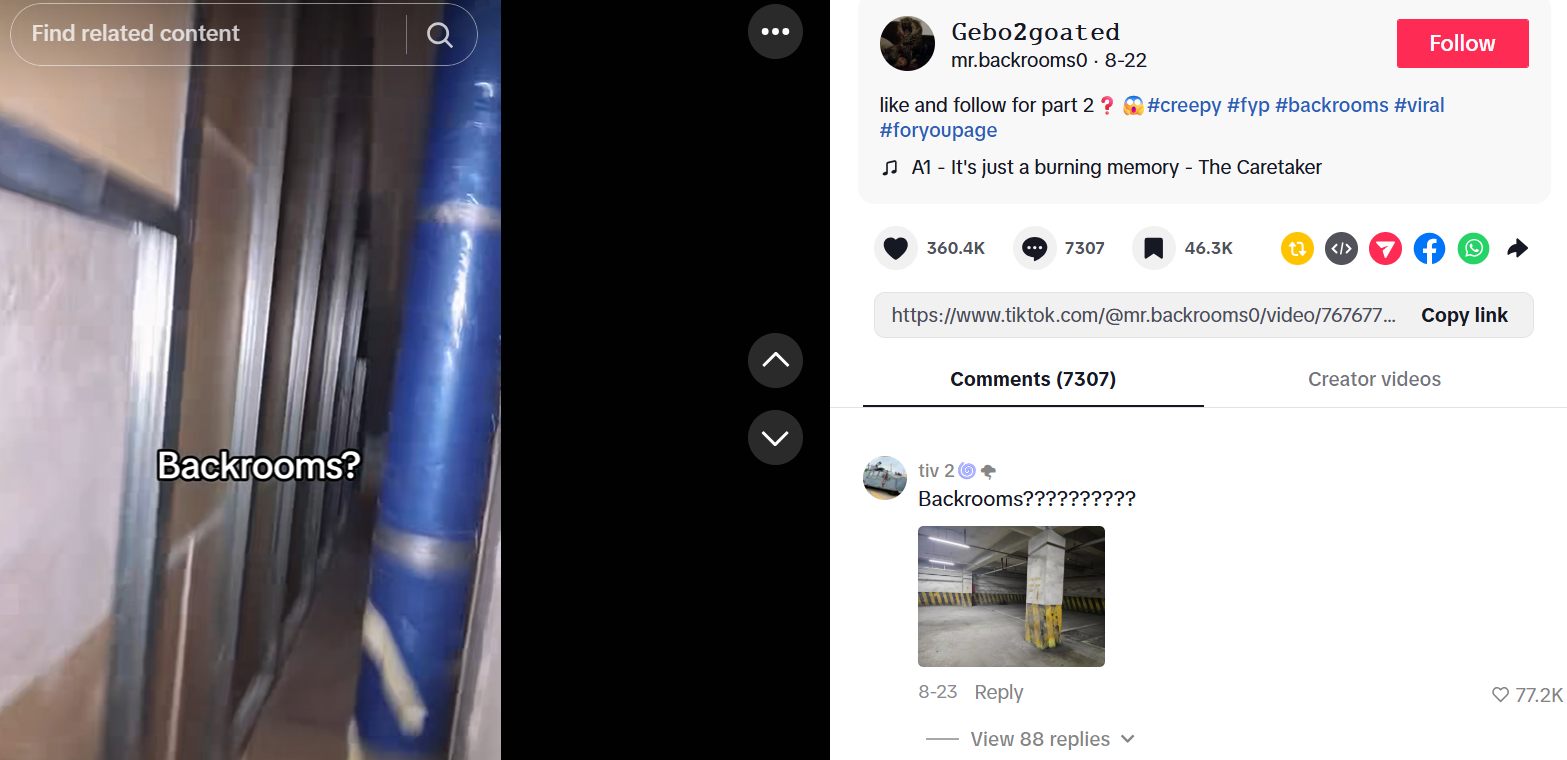
You can also add on-screen text or place a visual arrow pointing toward the heart icon.
#3. Post videos every day to build audience habits
Posting consistently gives you more chances to get your content in front of active users.
Uploading regular content helps you build momentum and reach new viewers. Also, your face or brand becomes familiar to people in your niche. They may not engage the first time, but the more you appear the more likely they will start giving you a chance.
Based on your goals and your account’s current engagement rate, you can adjust how often to post on TikTok to get more likes and maintain existing followers.
#4. Pin interactive comments
Your comment section is a great place to drive extra likes on your video.
After you publish a video, write a funny comment that prompts interaction and pin it to the top.
When viewers reply or tag their friends, you get more viewers, more engagement, and more likes.
You should also reply to comments. It can bring viewers back to your post. That second visit gives them another chance to double tap your video if they forgot the first time.
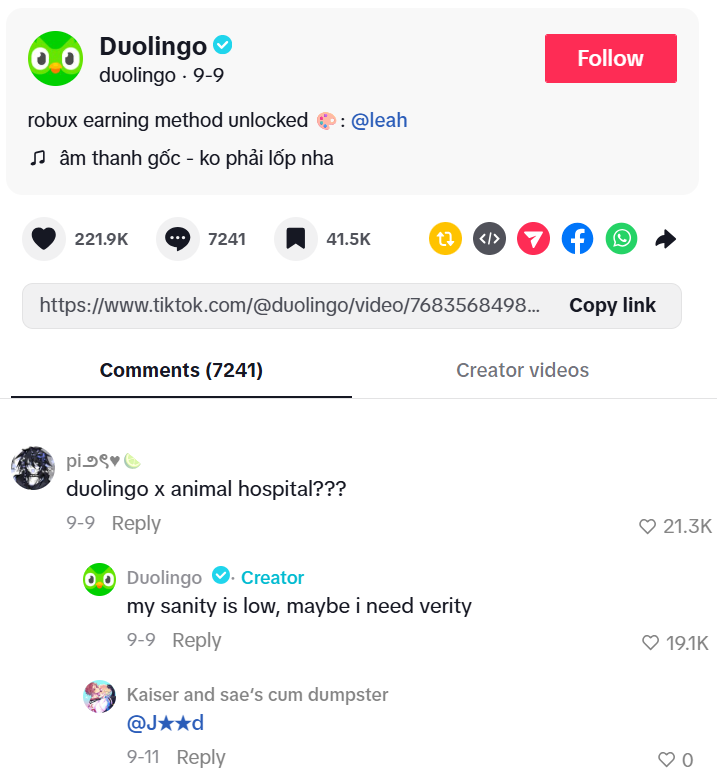
#5. Create tutorial videos that deliver immediate value
Educational clips and quick tips perform very well on TikTok. People will also like or save the video to watch it later.
Think about common questions your customers ask and answer them in short, clear videos. Aside from short-form videos, you can make this content really effective with TikTok carousels.
#6. Stitch or duet popular videos
You do not always need to create brand new concepts from scratch. TikTok’s Stitch and Duet features let you build on videos that are already popular.
Find a trending video in your niche and use the Stitch tool to react with your own tips or honest thoughts.
What do people need from an entertaining video? Another video reacting to it, obviously.
Since the original video already proved it can get views and likes, adding your helpful response helps you capture double taps from that same audience.
#7. Follow trends and learn from successful creators
You should never run out of ideas since you have:
- Many TikTok trends to follow at any given time
- Proven video formats from viral videos on your FYP
You have trending sounds, dances, or meme formats already have built-in audience interest, making people more likely to react positively. You can look at how top creators structure their hooks, text overlays, and video pacing, then adapt those setups for your own brand.
You can also track how small businesses go viral on TikTok: what did they do in their first days and how they build followers.
Keep trying different formats until you find out what works for you.
What to do when you get views but not likes
Before that, what is a healthy view to like ratio?
A healthy organic ratio on TikTok usually falls between 5 to 10%, which means you should get about 10 likes for 100 views.
Sometimes you get thousands of views but low likes. This usually happens when a video has a good opening hook but fails to deliver a satisfying ending.
If your videos get high views but very few double taps, try these practical steps to fix the gap:
- Check your ending and payoff: Make sure your video delivers on the promise or curiosity created in your opening hook. If the ending feels flat, viewers scroll away without interacting.
- Keep your message simple: Avoid squeezing too many ideas into one clip. A focused video with an ideal length is much easier for viewers to digest.
- Use text caption: Adding clear on-screen text helps people watching on mute understand your message, especially for tutorial videos.
- Check if you are reaching the right audience: Review your hashtags and captions. Make sure they are relevant to your target audience, instead of generic tags like #fyp or #viral.
- Reupload the video after adjusting: Choose a good time to post again and see how the video perform compared to the previous version.
Relevant reading: 10 things to check before posting on TikTok: a checklist
FAQs about TikTok likes
Wait for a week so that TikTok finished showing your video to test groups and then the larger audience pool. Do not worry if your likes start slowly in the beginning.
Deleting videos with low likes can hurt your account momentum. When you delete posts regularly, you remove accumulated watch time and account data that TikTok uses to understand your content niche. If a video performs poorly, you can change its privacy setting to “Only Me” or just leave it up. TikTok often tests older videos with new audiences weeks or even months after you post them.
You can reupload a video, but you should adjust it first. If you reupload the exact same file, TikTok may flag it as duplicate content and limit its reach. Since it did not get many likes, you may want to refine it anyways.
Yes. When you use hashtags related to your niche, TikTok shows your video to people who actively search for that topic. Viewers that are already interested in the subject will like your videos more easily compared to a random scroll on the feed.
Yes, getting 100 likes in your first hour is a strong result, especially for smaller or growing accounts. High early engagement within the first hour makes TikTok much more likely to push your video out to a larger audience on the For You page.




 TikTok Advertising