







 Shopify Development
Shopify offers a rich app ecosystem to help improve your store performance. However, Shopify CRO is not about using advanced tools. It is only effective if you adopt the right tool to solve your current problems.
In this guide, we will break down the best CRO tools for Shopify based on common conversion blocks, and how these tools can improve user experience throughout the buying journey, leading to long-term positive results.
1. Top Conversion Rate Optimization Tools for Shopify
When choosing software to optimize your store, do not just look for a generic utility tool. Identify your exact conversion issue and match it with software built specifically to fix that leak.
To help you evaluate your choices quickly, this table below categorizes the top apps by the exact conversion problem you may be having and how they address it.
| Your conversion problem | Recommended tools | How it solves your problem |
| High drop-offs & hidden leaks | – NS Revenue Heatmap & Replay – Microsoft Clarity | Records visitor sessions and builds color-coded activity maps connected directly to sales data |
| Abandoned shopping carts | Klaviyo | Sends automated, highly targeted email & SMS to recover lost sales |
| Ineffective pricing & discount strategies | Intelligems | Runs split tests on product pricing, shipping thresholds, and volume discounts |
| Low mobile add-to-cart rates | EA Sticky Add to Cart | Optimize mobile interface to improve user experience across devices |
| Low conversion on product pages | Octane AI | Interactive quizzes that guide customers to the right product recommendations. |
1.1. NS Revenue Heatmap & Replay
Best for: Visualize customer journey with heatmaps, identify drop-off points
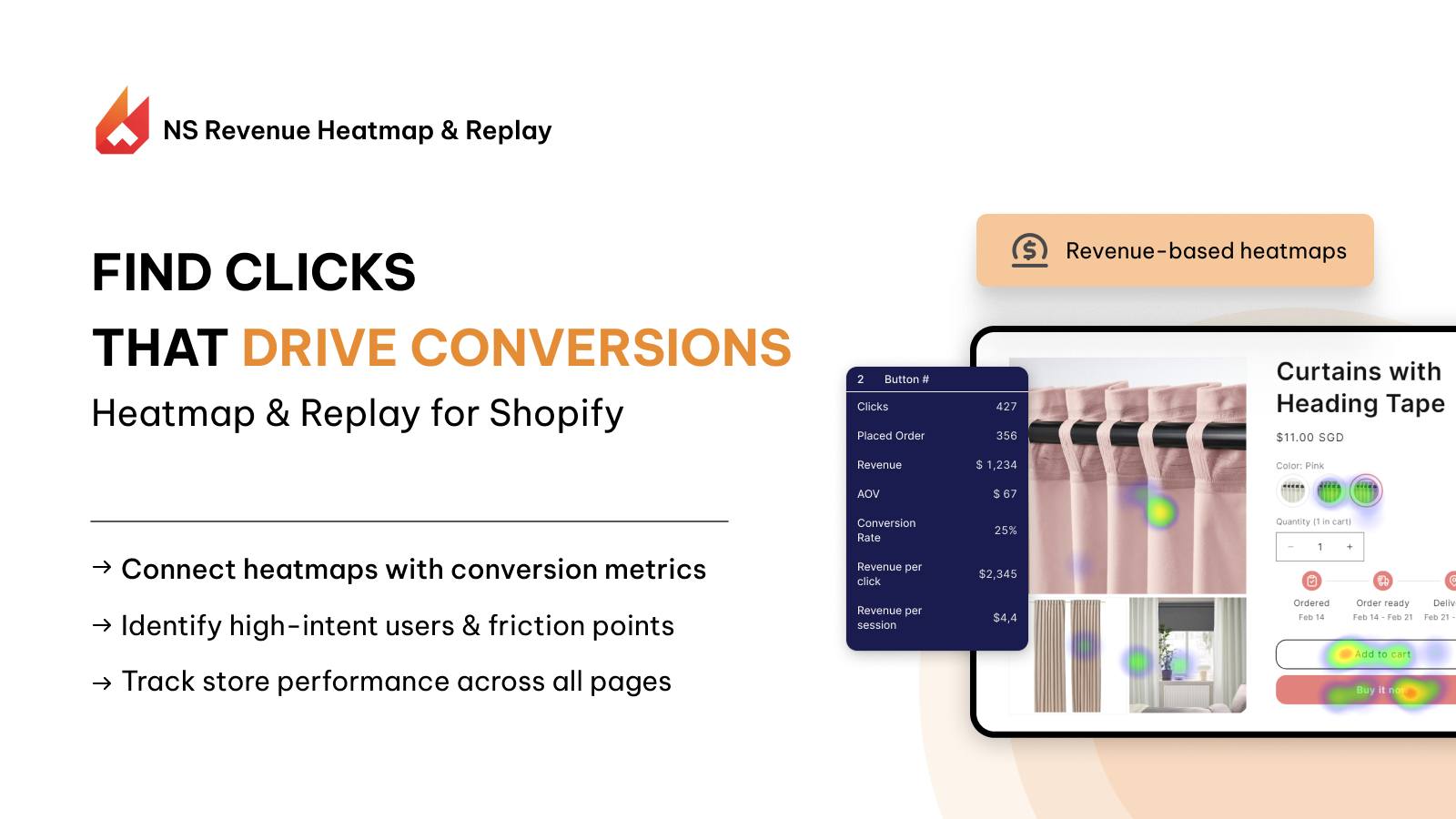
One of the best CRO tools for ecommerce is heatmaps and session replay. It lets you see what users are really experiencing on your website.
Other than showing clicks and scrollmaps, NS Revenue Heatmap & Replay takes a step further and ties user interactions directly to conversion metrics such as revenue and placed orders.
Why NS Revenue Heatmap is designed for CRO:
- Revenue-based click and scroll map
- Filter session recordings by key events such as “add to cart” and “check out”
- Identify friction points for high-intent users to increase add to cart rate.
- It is embedded natively within the Shopify environment, removing the friction of managing external website scripts.
The immediate conversion data linked to the section you check can help you better analyze heatmaps from a CRO perspective, instead of just static click and scroll maps.
1.2. Microsoft Clarity
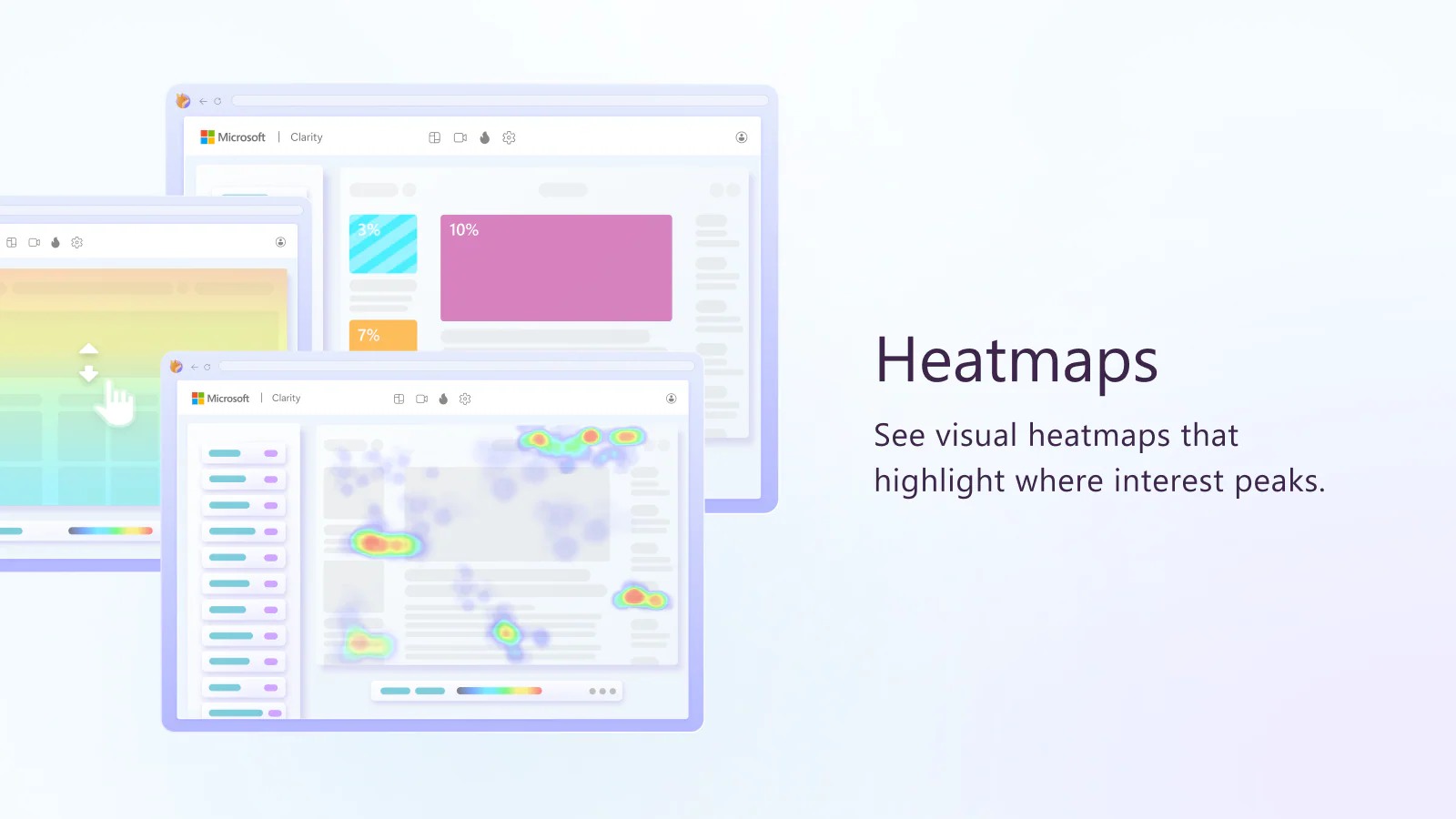
Microsoft Clarity is a free heatmap app on Shopify that provides unlimited session recordings without traffic caps.
The app specializes in spotting behavioral frustration signals, automatically highlighting user errors like dead clicks and rage clicks, which happen when a customer clicks a broken element rapidly out of frustration.
Because it is completely free, it offers great value for growing stores looking for more customer insights.
How Microsoft Clarity helps conversion:
- Automatically surface rage clicks and dead clicks
- Zero-cost session recording and analytics
- Combine behavioral video playback with broader site traffic reports from GA4
However, because it is an all-purpose web tool, it does not natively know your Shopify product data, making it harder to track conversion changes. Many users also report the tool can fail if you use pop-ups, as Clarity may not be able to read extra elements.
| Features | NS Revenue Heatmap & Replay | Microsoft Clarity |
| Core value | Deep CRO solution to maximize AOV and scale revenue. | Detect technical bugs and errors, see traffic patterns. |
| Key features | Ties visual clicks and scroll data directly to Shopify revenue metrics | Tracks general user behavior with session replay, use AI for customer analysis |
| Frustration Tracking | Highlights friction along the specific checkout and transaction path | Automated filters for dead clicks and rage clicks |
| Dashboard Ecosystem | Native to the Shopify environment for fast store management | External platform dashboard requiring Google Analytics or script integration |
Overall, Microsoft Clarity is a great free tool to watch session recordings and identify landing page errors, while NS Revenue Heatmap is for stores looking to gain customer insights and scale revenue.
You may concern: How to Read and Interpret a Heatmap for Store Conversion
1.3. Klaviyo
Best for: Dynamic cart and checkout recovery using automated email loops and SMS texts.
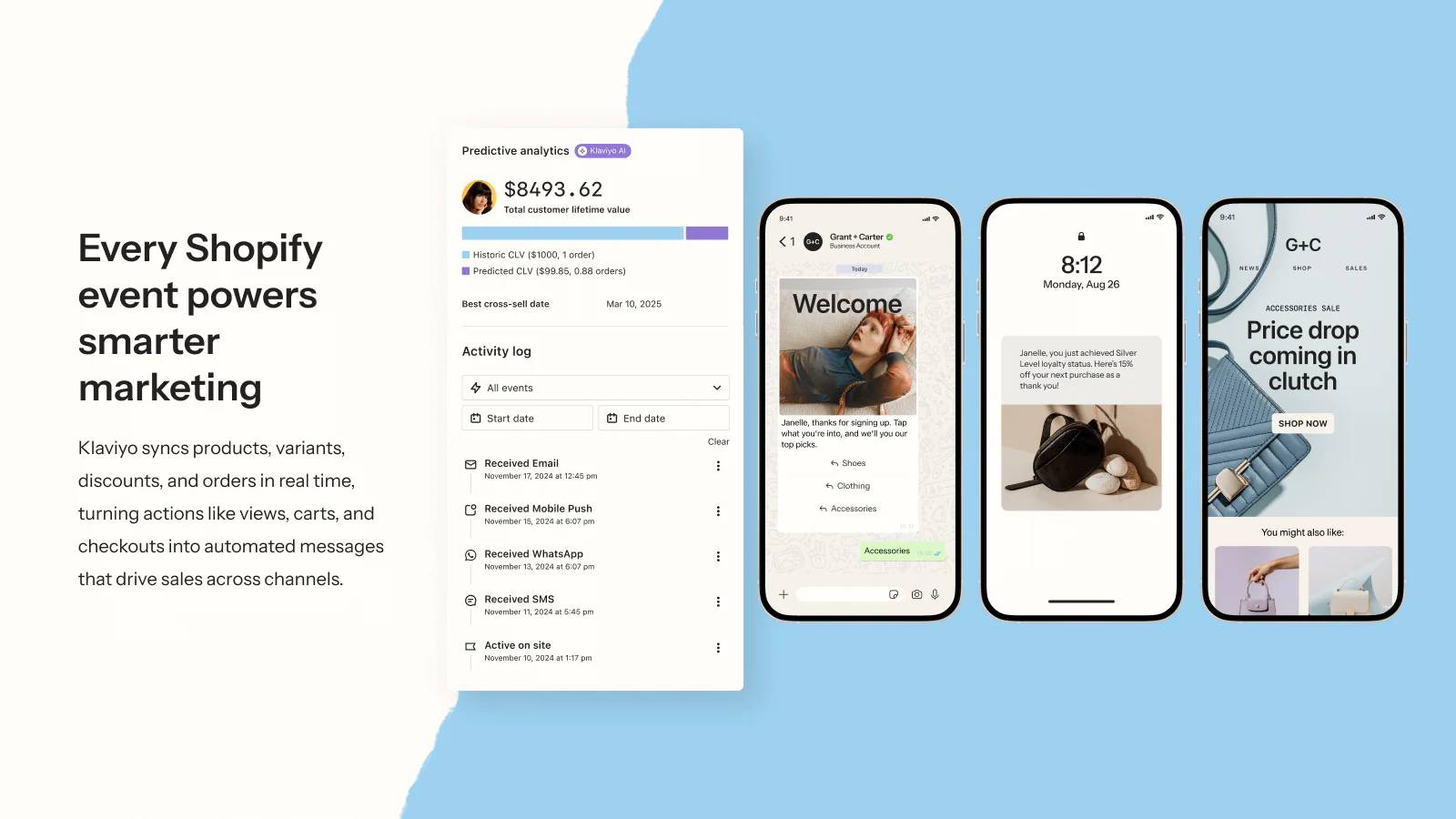
Sometimes the friction happens at the very end of the line. A customer finds a product they like, adds it to their cart, and then closes the tab because they got distracted or shocked by unexpected fees.
Klaviyo tackles this problem by building a bridge back to those lost shoppers. It integrates deeply with Shopify data to track exactly what item was left behind. Instead of sending a generic newsletter, it fires off a personalized email or text message within an hour of abandonment.
By reminding the shopper about their specific items, answering common product questions, or offering a timely incentive, you can recover sales that would otherwise be permanently lost.
How Klaviyo helps conversion:
- Triggers automated, hyper-personalized email sequences based on exact customer actions
- Predictive analytics tools guess the future lifetime value and churn risk
- Omnichannel marketing across emails, SMS, WhatsApp and more
However, its price tier climbs aggressively as your subscriber list grows, and it does not fix on-page design issues to prevent cart abandonment in the first place.
1.4. Intelligems
Best for: A/B split-test for product price, promotional margins, and shipping limits.
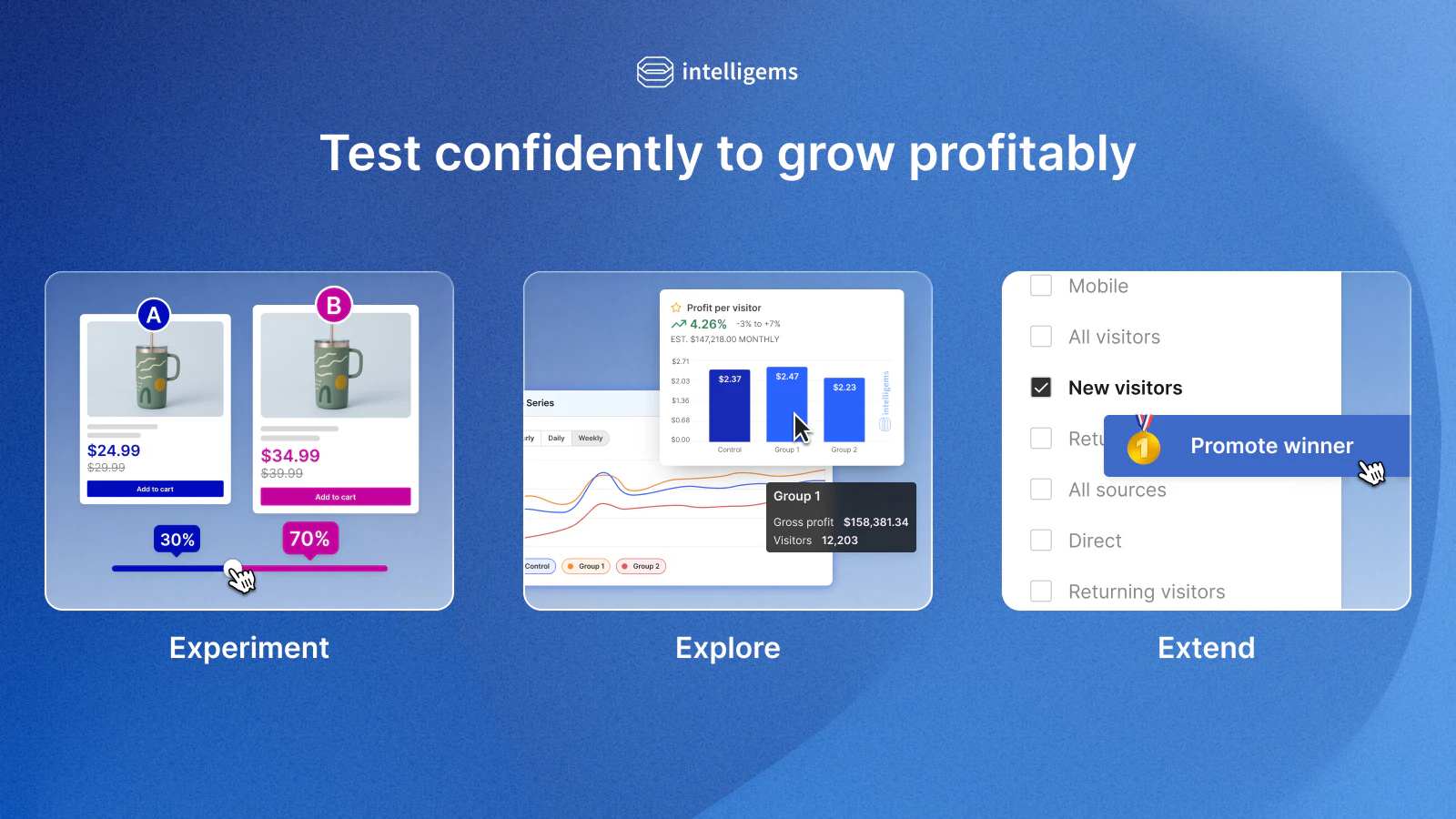
If you are struggling with pricing and discount strategies not bringing good results, Intelligems is for you.
Intelligems allows Shopify merchants to run native live tests on product prices, shipping thresholds, and discounts.
For example, you can test whether offering a $50 free-shipping minimum performs better than a $40 minimum with a $5 flat shipping fee. The app splits your traffic evenly, displays the different options dynamically, and reports exactly which strategy generates the highest overall net profit.
How Intelligems helps conversion:
- Live split tests on complex variables like price elasticity and shipping rules without displaying broken or flashing pricing text to the end user.
- Tracks net profit margins and average order value alongside regular conversion rates
- However, the advanced tier of this platform carries a high entry cost, making it less accessible for brand new stores that lack heavy baseline traffic volume.
1.5. EA Sticky Add to Cart
Best for: Increasing add to cart rates on mobile by optimizing mobile interface.
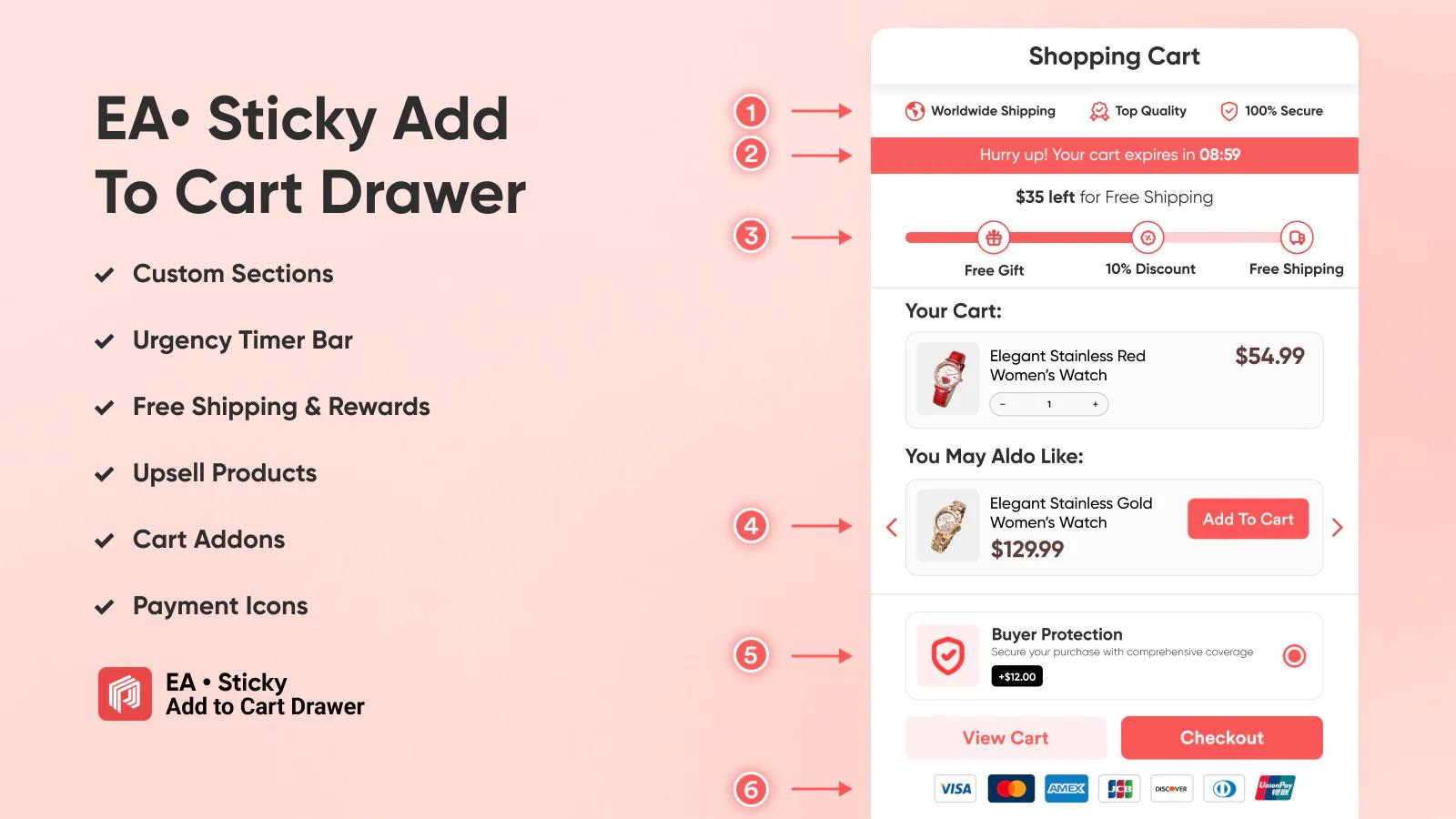
Mobile shopping traffic now makes up the vast majority of ecommerce visits. However, data frequently shows that mobile conversion rates are less than half of desktop rates.
EA Sticky Add to Cart remedies this by removing physical scrolling friction. As a visitor reads reviews or scrolls through product specifications, a bar stays attached to the edge of the screen with an active buy button. The user can add the item to their cart instantly, no matter where they are on the page.
How EA Sticky Add to Cart helps conversion:
- Shortens the path to purchase on mobile viewports by keeping a persistent call-to-action bar visible across all scroll depths.
- One-click buy features that can skip the cart page entirely
- Quick desktop and mobile styling tools
However, if configured with overly aggressive layout animations, it can feel intrusive on small mobile displays or accidentally block critical footer navigation links.
1.6. Shopify Checkout Blocks
Best for: Mid-market and Shopify Plus brands wanting to drop frictionless post-purchase upsells and trust signals inside the native checkout fields.
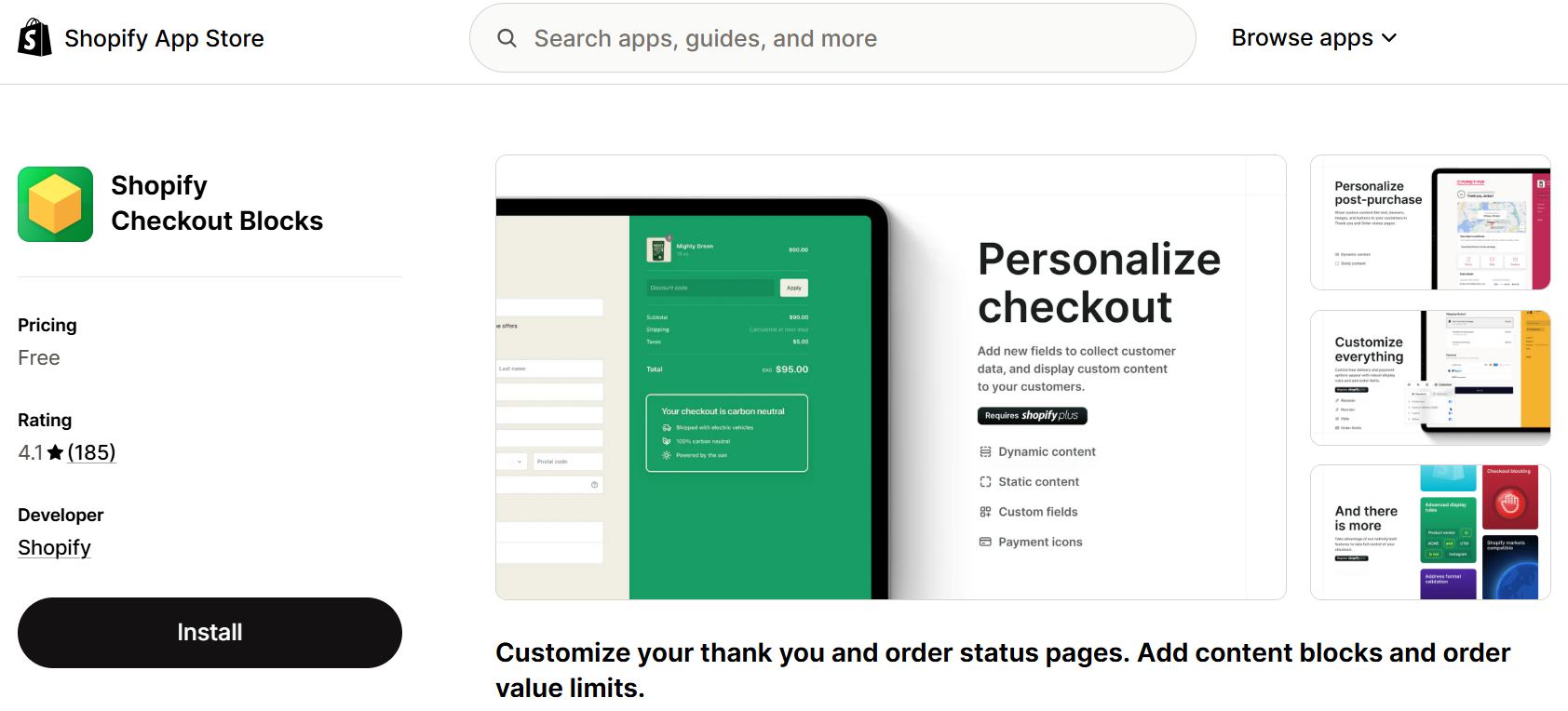
The checkout experience is the final hurdle. For years, Shopify merchants could not customize this area without expensive Shopify Plus infrastructure. Even with modern upgrades, a generic checkout can feel cold and disconnected from your brand.
Checkout Blocks allows you to optimize this final phase by adding custom content directly into the native checkout flow. You can use it to display security badges right next to the payment field, feature micro-upsells like gift wrapping, or show a progress bar indicating how close the customer is to earning a free gift.
By addressing final security concerns and offering relevant additions right at the finish line, you maximize both your conversion rate and your average order value.
How Shopify Checkout Blocks helps conversion:
- Places high-margin order upgrades and product cross-sells directly inside the primary checkout layout fields, maximizing final basket size.
- Allows for personalized trust elements, custom banners, and delivery notices based on specific geographic coordinates or shipping methods.
- Built by Shopify and integrate perfectly with your checkout process
1.7. Octane AI
Best for: DTC lifestyle, beauty, or apparel catalogs looking to counter buying confusion using interactive personalized shopping quizzes.
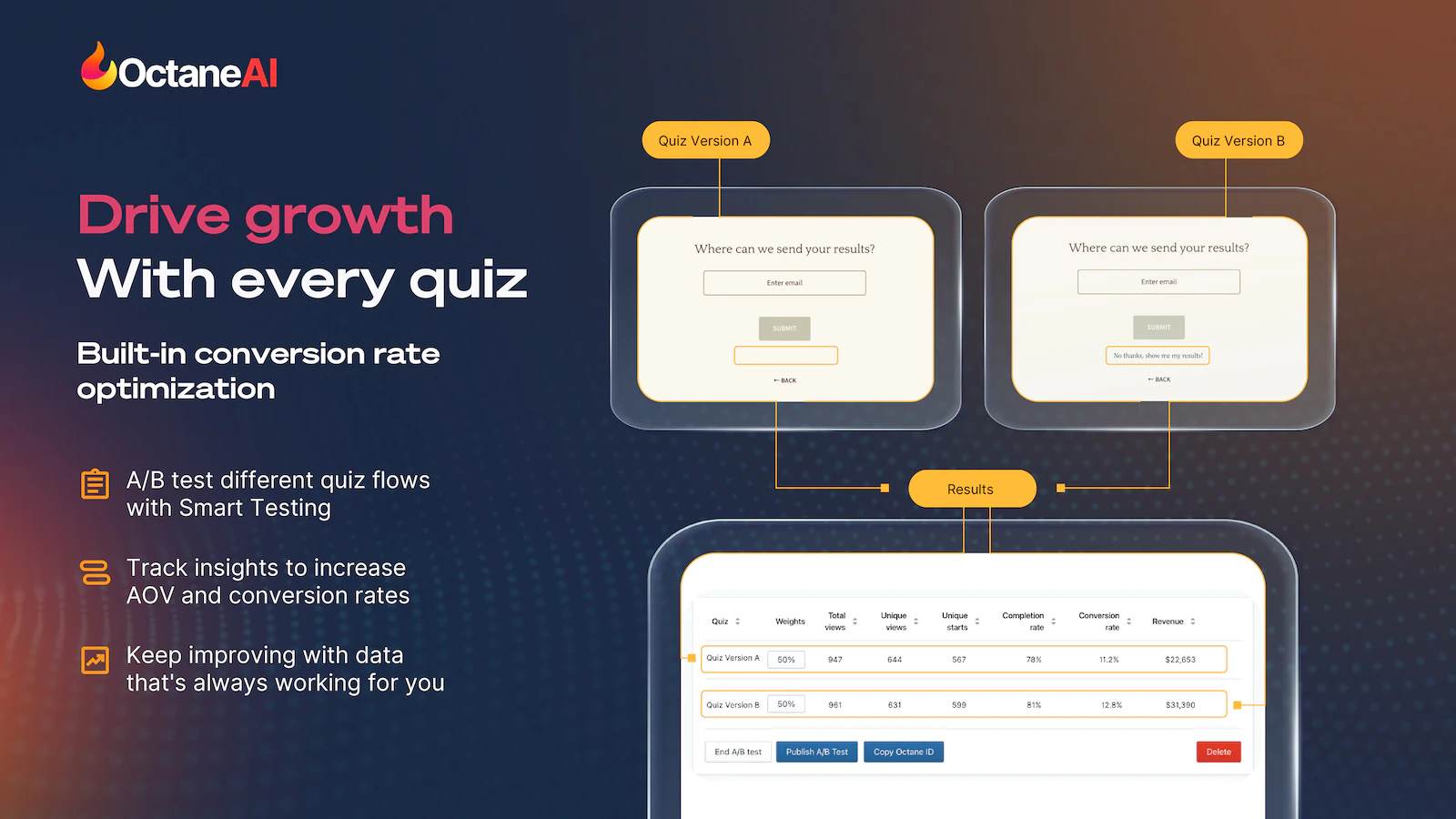
When online stores offer dozens of variations for items like skincare, cosmetics, or apparel, buyers easily become overwhelmed. This state of analysis paralysis often leads to abandoned tabs.
Octane AI solves this issue by acting as an automated digital sales assistant. It guides uncommitted browsers through an interactive, personalized quiz directly on your storefront. By asking a few clear questions about their personal preferences or specific skin types, it curates exact product recommendations. This immediate guidance removes guesswork and improve low-converting product pages.
How Octane AI helps conversion:
- Narrowing down sprawling catalogs into an accurate, tailor-made selection for each unique buyer profile.
- Captures highly detailed first-party zero-party data, allowing you to sync quiz answers directly to Klaviyo for post-quiz email segmentation.
- AI logic to dynamically recommend complementary upsells, directly scaling up your average order metrics.
However, building a highly customized, logical quiz structure requires an upfront time investment, and the entry tier plan starts at a premium cost that may stretch smaller budgets.
2. How to Choose the Right CRO Tool for Your Store
You should never pay for an app just because many people are using it. A tool that provides incredible value to a massive enterprise might completely overwhelm a brand new store.
Before adding a new monthly subscription to your app stack, evaluate how these four key selection factors:
- Traffic volume: Quantitative tools like statistical A/B split-testing suites are incredibly powerful if you can reach a definitive conclusion within a few weeks. However, for most stores, prioritize qualitative tools like heatmaps instead, where you can manually spot and fix obvious layout bugs.
- Pricing model: Be highly critical of how these pricing structures scale as your business grows. What seems like a reasonable price may add up considerably after you get more traffic or revenue.
- Shopify integration: External tools such as GA4 and Clarity can be useful for data overview, but Shopify native apps can actually integrate with your store data which offers more tailored solutions.
- Impact on loading speed: Too many apps can slow down your website. Prioritize Shopify-native apps and test if they affect your loading speed.
FAQs: CRO tools for Shopify
The CRO tools for Shopify target different areas of the funnel:
– Behavior and pre-sales friction points: NS Revenue Heatmap, Microsoft Clarity
– Product recommendations & upsells: Octane AI
– Recover abandoned carts: Klaviyo
They can if you run multiple heavy tools simultaneously. To minimize lag, use Shopify-native apps and delete redundant apps that you are no longer actively using.




 Facebook Advertising