







 Shopify Development
CRO is about tuning your online storefront to convert current visitors into paying customers. Instead of spending more money to get new traffic, you focus on making more money from the traffic you already have.
This guide will show you what CRO really means and how to increase conversion rate on Shopify, not just by common tips, but by improving user experience and achieving long-term results.
TL;DR: Shopify Conversion Rate Optimization Strategies
Conversion rate optimization (CRO) is the process of improving buyer experience based on data and customer insights. Here are four main areas of CRO, including specific CRO strategies for each:
Website Design & Navigation (UX)
- Simplify the Menu: Keep your navigation intuitive so customers can find what they want in three clicks or less.
- Site Speed: Ensure your website is fast loading
- Responsive across devices: Be considerate of both mobile and desktop users
Product Pages
- High-Quality Visuals: Use zoomable images, 3D models, or video demonstrations to substitute for the in-store physical experience.
- Clear CTAs: Ensure your “Add to Cart” or “Buy Now” buttons stand out using contrasting colors and sticky positioning.
- Display Reviews & UGC: Showcase star ratings, written reviews, and user-generated photos prominently on product pages.
Checkout Process
- Enable Guest Checkout: Never force users to create an account just to buy something; minimize friction.
- Offer One-Click Checkout: Utilize Shop Pay, Apple Pay, or PayPal to let users bypass lengthy form-filling.
- Provide Flexible Payment Options: Introduce Buy Now, Pay Later (BNPL) services like Klarna or Affirm to boost average order value (AOV).
A/B Testing
- Use analytics tools: Use CRO tools for Shopify such as GA4 or heatmaps to see user behavior
- Test small changes: Make a list of possible improvements and test them separately

1. What CRO means in 2026
Optimizing your store in 2026 is very different from how it used to be a few years ago.
In the past, merchants applied obvious, aggressive tactics such as adding countdown banners and pop-ups.
However, it’s becoming more and more challenging to meet the CRO benchmark on Shopify, which is around 2-3%. Consumers are getting more conscious of intrusive sales tactics, and so, I think you need to understand what CRO tactics are NOT:
- CRO is not forcing sales at all costs: The prime examples of this is adding fake limited time banners and faking urgency. Customers can easily spot these cheap tactics and lose trust in your products.
- CRO is not only focusing on “add-to-cart” or “buy now” buttons: Customer journey is a process including multiple touch points, not just their last click.
- CRO is not just guessing customer behavior: While analyzing customer behavior is part of CRO, you should do it with real data and evidence. There are CRO tools that can help.
Modern online shoppers demand honesty, clarity, and speed. The most effective, sustainable way to build a profitable Shopify business is to create a seamless user experience.
Let’s see the most impactful areas you should focus on for CRO.
2. Key tactics to increase conversion rate
To move your conversion metrics in the right direction, you must take a systematic approach to your store design. Here are the core strategies broken down by the exact areas where your customers interact with your brand:
- Optimize product pages
- Website UI/UX & performance
- A/B testing & analysis
- Simplify the checkout process
2.1. Optimize product pages
Your product page is your digital sales pitch, so your first priority should be improving low-converting product pages.
High-quality, authentic media
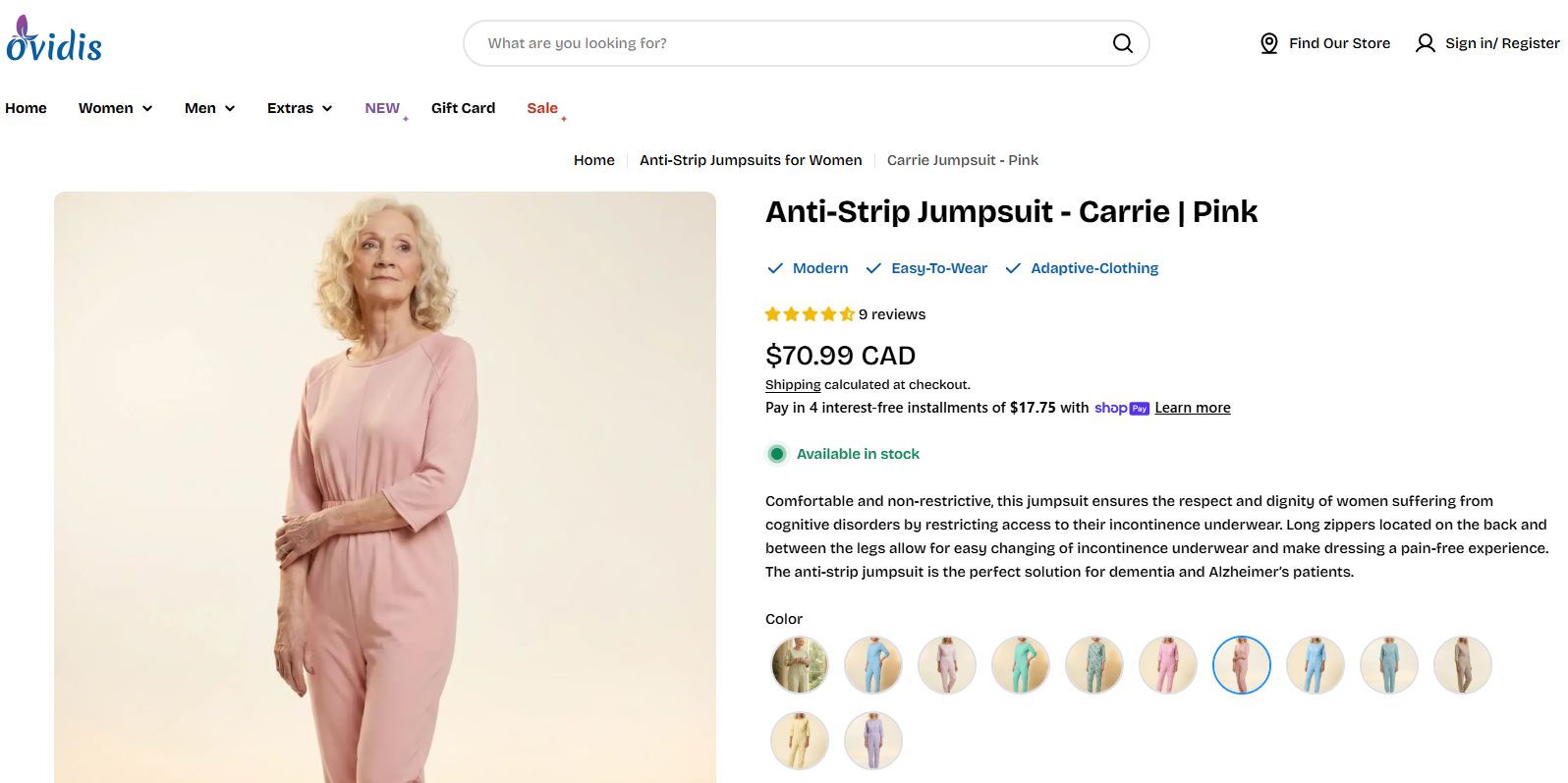
In 2026, stock photos will kill your conversions. Shoppers want to see real product images, preferably multiple images from different angles. These images also act as important trust signals – customers are more likely to bounce if your product photos are blurry or of low quality.
If your product have multiple variants, it is also a must to show the product in that specific color or pattern. In short, Don’t make customers guess what the product looks like in real life.
Clear product descriptions
Avoid writing long blocks of poetic text. Instead, write highly scannable product descriptions that clearly explain the specific benefits and materials.
You can start by describing what the item is made of, how it solves a problem, and who it is for. This layout helps mobile shoppers read your values in seconds.
Transparent pricing & policies
Unexpected costs are the number one reason customers left without purchasing. Display your shipping costs and delivery estimates directly on the product page, right near the buy button. If you offer a free shipping threshold, tell the reader exactly how much more they need to spend to qualify.
You can also create a FAQs section that answers common queries. This simple addition can greatly reduce your cart abandonment rate.
2.2. Website UI/UX & performance
Your website interface and performance form the backbone of your store. If your site feels clunky or slow, visitors will hit the back button before they even look at your products.
Mobile responsive design
The vast majority of Shopify traffic now happens on mobile phones. Your store must look readable and simplified on a small screen.
Ensure your text is large enough to read without zooming, and make your call-to-action buttons wide enough to tap easily with a thumb. You should also ensure your main action buttons are sticky, meaning they stay locked at the bottom or top of the screen as a user scrolls down.
To test how your store looks across dozens of different mobile devices for free, you can use the Google Chrome DevTools device emulator by right-clicking your store page, selecting “Inspect” and toggling the device toolbar.
Page speed optimization
Every second your page takes to load costs you money. A lightweight store keeps users engaged and stops them from bouncing to a competitor’s site.
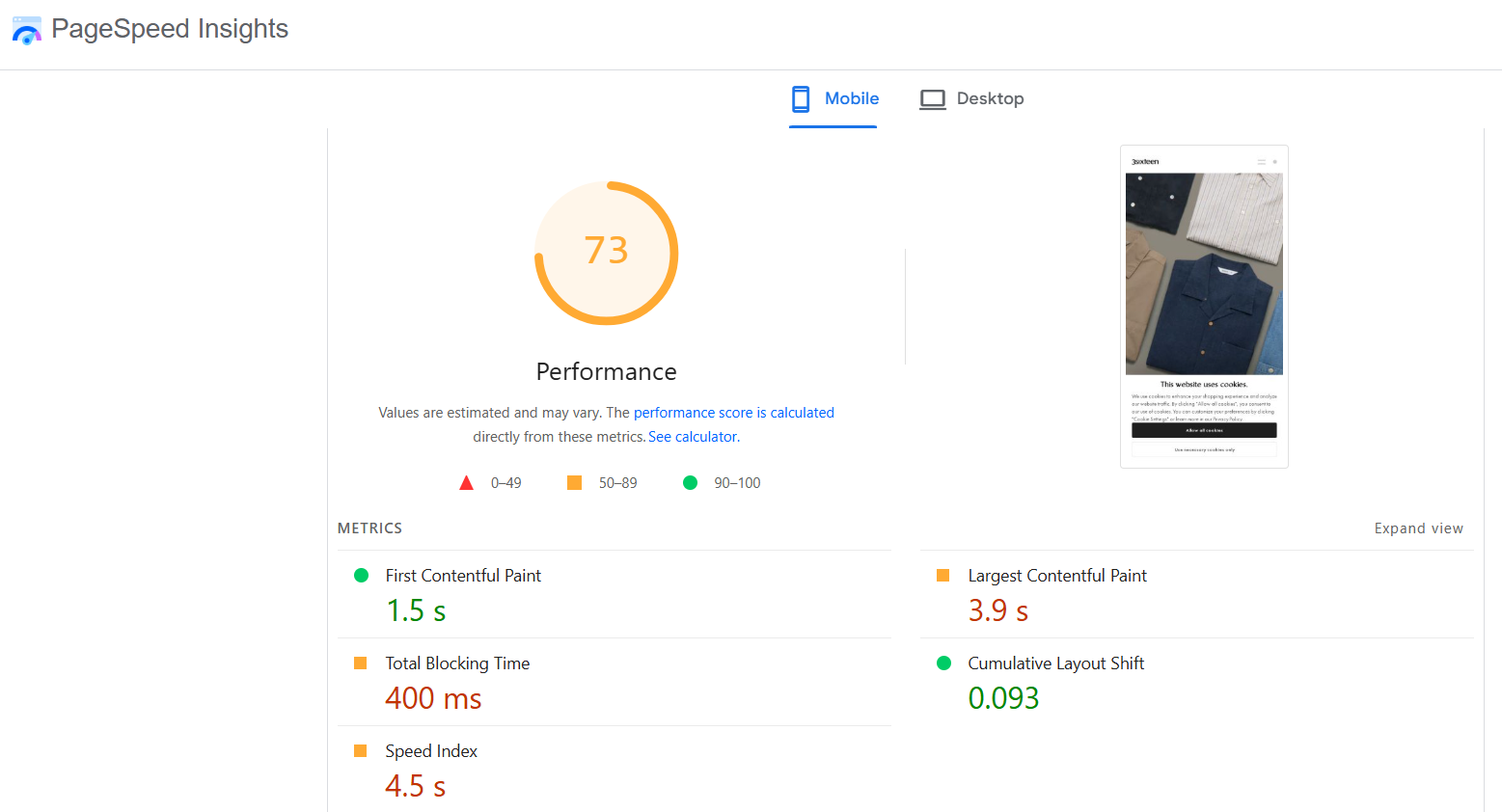
To find out exactly what is dragging your speed down, you can run your URL through Google PageSpeed Insights. This tool is completely free and will give you a specific, step-by-step checklist of the scripts and images you need to fix.
Product search & filtering
Keep your main menu clean and simple. Group your products into logical collections so users can find exactly what they want in fewer than three clicks. Use clear search bars and filters for sizes, colors, or prices to make browsing a breeze.
2.3. A/B testing & analysis
Data-driven marketing means you make changes to your website based on real customer actions rather than random guesses.
Instead of wondering if a red button works better than a blue button, you let your customer metrics tell you the answer. To do this right, you need to track specific numbers like how many clicks a section gets, where people drop off, and how much revenue each specific page generates.
The most effective way to analyze this behavior is by using website heatmaps and session recordings. These analytical tools record real user sessions browsing your Shopify store.
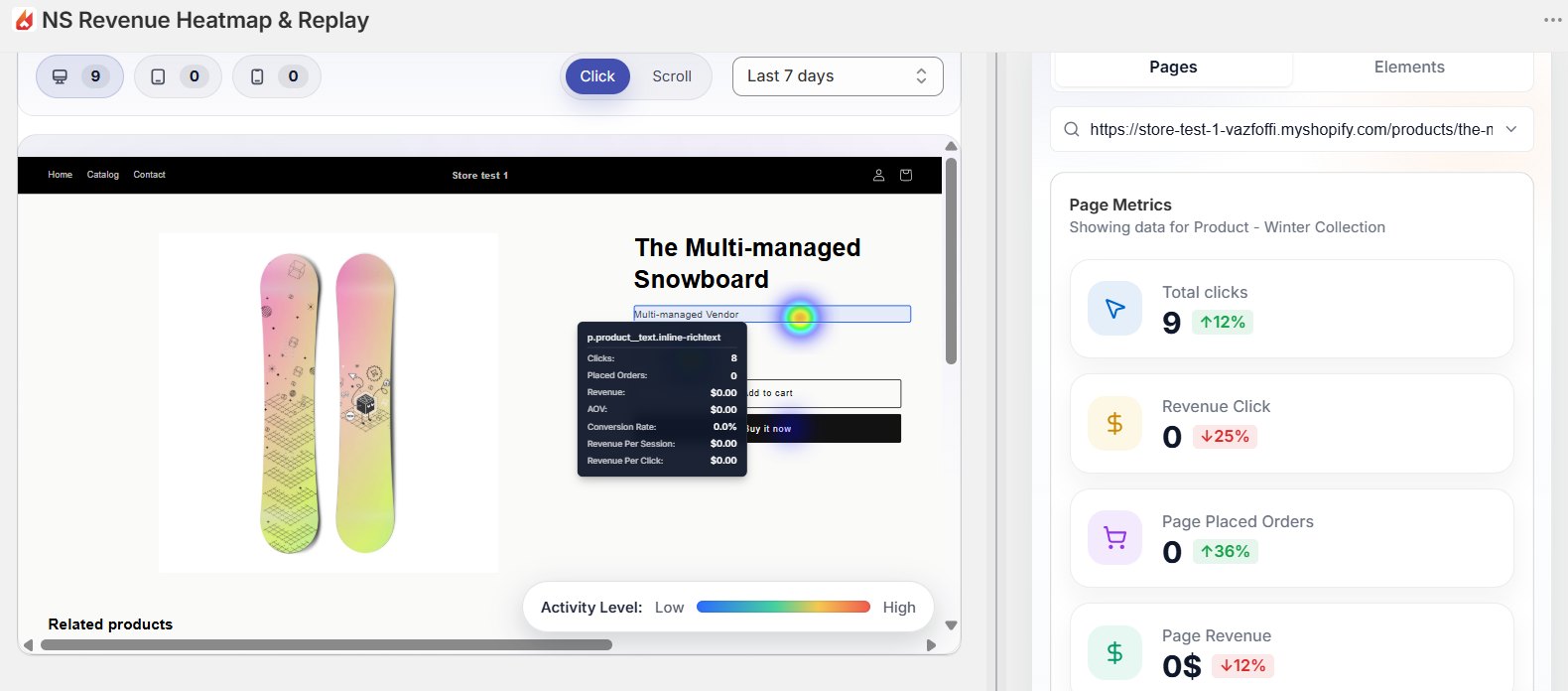
When you watch these recordings, you can see exactly where people click, how far down the page they scroll, and where they get stuck. This gives you concrete proof of how users engage with your brand.
2.4. Simplify the checkout process
Getting a user to click your add-to-cart button is only half the battle. You still need to guide them across the finish line without letting friction ruin the transaction.
First, do not force your new customers to create an account to purchase. Keep account registration completely optional. Let them check out as a guest, and offer them the chance to save their details after the order is fully placed.
Second, people want to know their financial data is safe. Place familiar payment security icons and trust seals right next to your checkout fields or directly below the final purchase button.
You should also consider adding as many payment methods as possible. Integrate familiar digital wallets like Shop Pay, Apple Pay, and Google Pay allows customers to complete a purchase with a single click, without having to give away their information.
3. Best Shopify CRO tools
To build a truly data-driven storefront, you need the right tools to measure your customer engagement.
You do not need dozens of expensive apps, but you do need software that tracks your clicks, orders, and section-by-section revenue accurately.
The table below breaks down the most dependable tools to measure and optimize your Shopify store conversion rate:
User analytics
NS Revenue Heatmap & Replay: Lets you see exactly where customers get stuck or lose interest, and which section is driving the most sales.
Website performance
- Avada SEO: SEO optimization, compress images and improve site speed.
- EComposer Landing Page Builder: Layout builder with CRO add-ons (e.g., upsell, cross-sell, wish list).
A/B testing for marketing
Klaviyo: Email & SMS marketing, segmenting customers and personalize marketing efforts.
4. Visualize revenue and clicks with NS Revenue Heatmap & Replay
Shopify’s built-in dashboard is great for a quick overview of traffic and revenue, but it does not dive into what customers are really doing on your site,
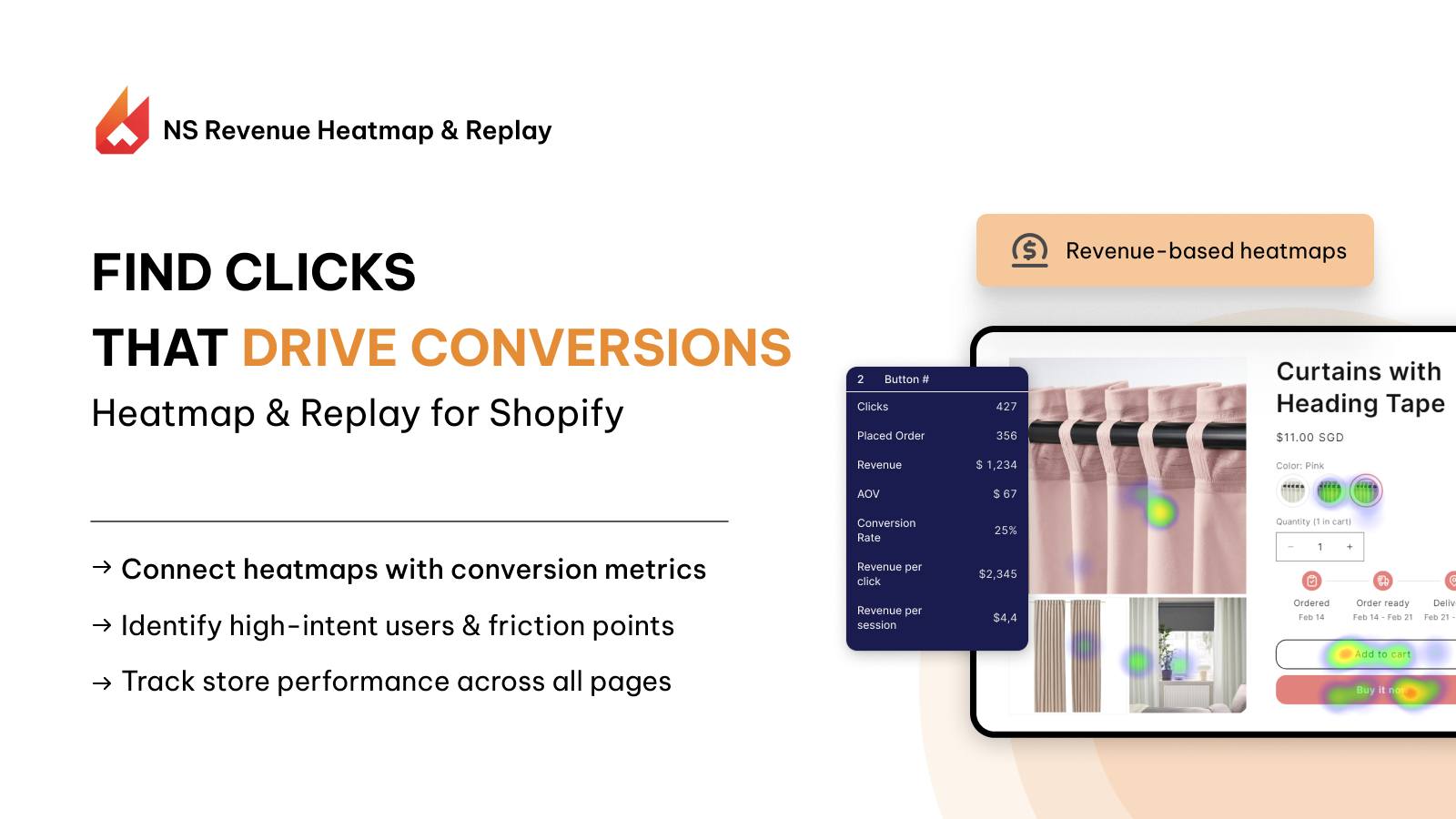
NS Revenue Heatmap & Replay bridges the gap between spreadsheet data and actual user behavior. It answers the specific question: What elements on your site are actually driving sales?
Watch playbacks of real users navigating your site. Identify immediate friction points that are making customers leave without purchases. Connect heatmaps with conversion metrics, and take data-driven actions that actually improve user experience.
FAQs: Shopify Conversion Rate Optimization
A Shopify CRO strategy is a systematic process of turning more visitors into paying customers by improving user experience, site speed, and trust.
Technical fixes like optimizing your page load speed can show up in your data tracking almost immediately. However, design layout updates or new product descriptions require time to gather clean data.
You can see quicker results if your actions are based on accurate data, such as from live session recording and heatmaps.
For most e-commerce businesses, an average conversion rate hovers right around 1.4% to 2%. However, a highly optimized Shopify store targeting a specific niche can easily achieve a conversion rate of 3% or more.
Driving more traffic is expensive, while CRO helps you get more value from your visitors. When removing frictions and improving user experience, more visitors will actually buy your products. This increases revenue and your acquisition cost.
The most effective way to increase Shopify CRO is relentless A/B testing driven based on data. Instead of guessing, analyze your store’s funnel using tools like NS Revenue Heatmap or Google Analytics to find where users drop off, then systematically test changes to your checkout flow, product pages, and call-to-action buttons.