







Using the built-in filters on TikTok is one of the easiest ways to make your content look clear, fun, and eye-catching. Many trends on TikTok also require you to use certain filters.
In this guide, you will find 7 trending TikTok filters, how they work, and simple steps to use them for your next post.
How using filters help boost your reach
Using filters on TikTok is not a magic growth trick, but it does help your videos look clear and easy to watch.
For example, you can add expressive face distortion filters in your funny skit, or add face tracking filter to make your face centered or zoomed in. This keeps the viewers focus on your clip for a few extra seconds.
This may sounds small, but those extra seconds will tell the TikTok algorithm that your post is worth showing to more people on their For You pages.
Filters also add a searchable tag above your video caption. When someone taps that tag, they can see other videos made with the same effect. This gives your post another way to get discovered, especially when you are jumping on a trend that require a specific filter.
So, let’s see some of the most popular filters on TikTok in 2026:
7 Best Filters to Use on TikTok (with Examples)
TikTok has thousands of effects, but you only need a few good options to make engaging content. Here are 7 trending TikTok filters that creators use to liven up their clips and get more likes:
Green Screen
The Green Screen effect lets you place any photo or video behind you while you speak. It is one of the most useful tools on the app: it helps if you don’t like your own background, or you want to let viewers see whatever information related to what you’re saying.
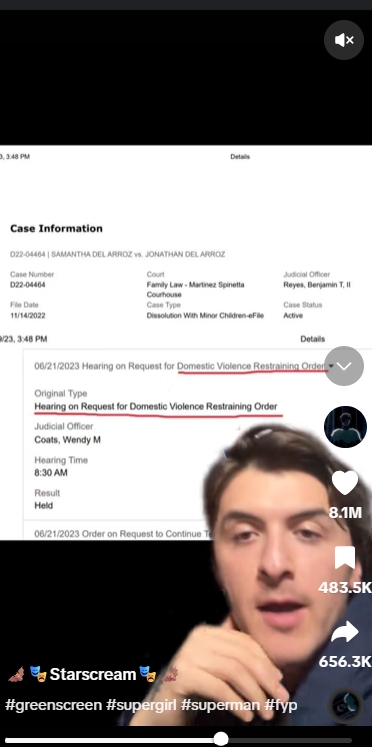
If you share product recommendations, you can show a picture of the item behind you. If you share tips or tell stories, you can display screenshots or photos to prove your point.
The visual proof makes your video much more believable and engaging.
Funny Face Filters
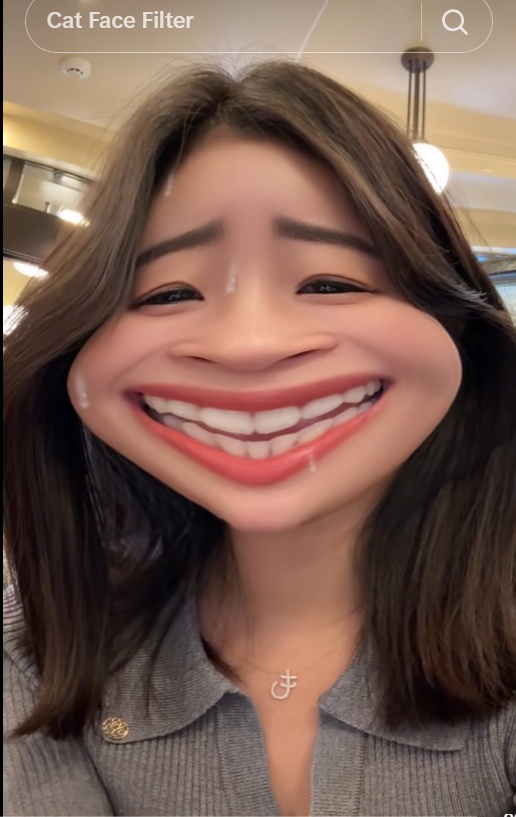
There are many filters that distort your face in a funny way. They’re great in exaggerating your expression and liven up your content such as a skit or a reaction video.
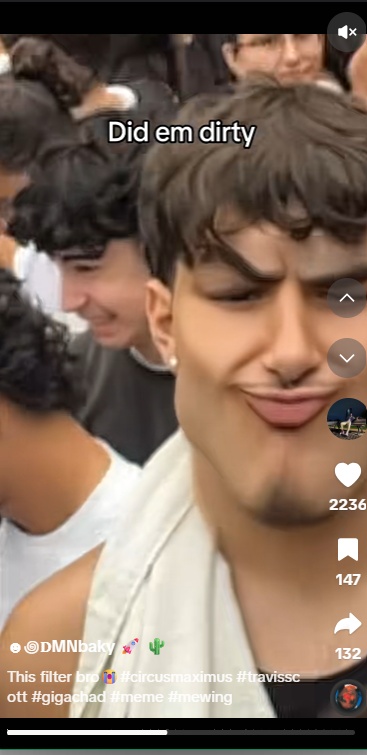
The Ranking Filters
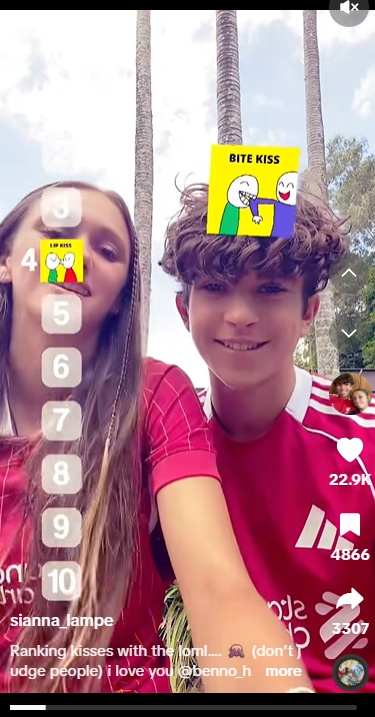
We’re talking about the type of filter that let you rank, such as ranking top 10 celebrities and top 10 countries.
The core appeal lies in the “blind” ranking mechanic, where options appear one by one above your head without warning. This forces you to make instant, unedited decisions.
This filter format is designed to encourage engagement and discussion. Viewers instinctively jump in to defend their choices, argue with your placements, or share their own rankings.
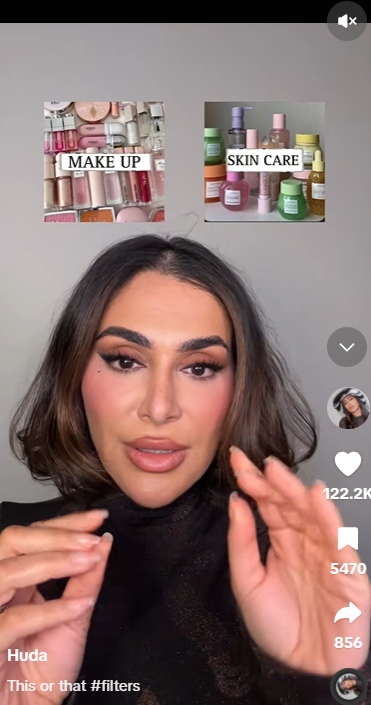
This or That
An interactive filter that presents two options side-by-side above your head. Tilted head movements choose a winner through multiple rounds until a final choice remains, making it a staple for debate videos.
Similar to the ranking filters, “this or that” is a great way to express your preferences and get more interactions like comments and shares.
Face Tracking & Zoom
Face Zoom tracks your face and automatically zooms in close when you move or speak with energy.
This effect adds a natural perfect spotlight to your face (or anyone’s face in your edit). Combined with a viral TikTok sounds, your edit will be really addicting as people watch it on loop.
Smooth Retouch
This is THE beauty filter everyone is using, more or less. Smooth Retouch gently smooths out skin texture and balances lighting on your face. It is great for days when your lighting is harsh or you want a quick refresh before hitting record.
That said, sliding the smooth scale up to 100% can look unnatural. Keep the slider between 20% and 40% so you still look like yourself, and everything isn’t completely blurred like a bad oil canvas.
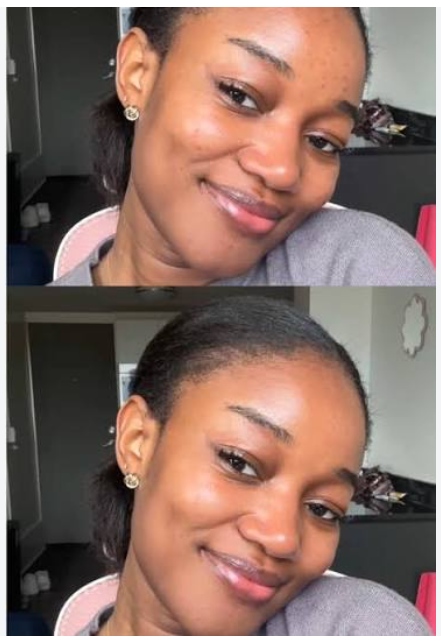
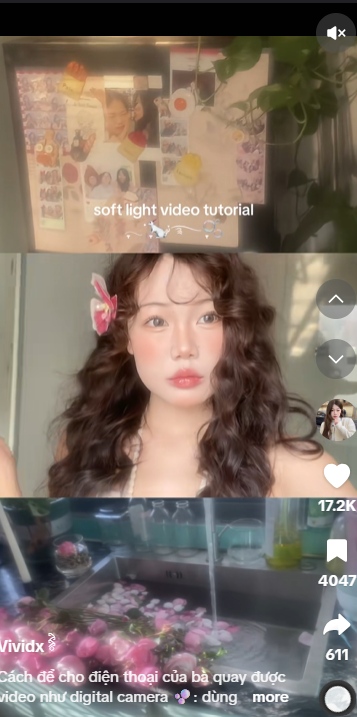
Soft Light
Soft Light adds a dreamy, blurry overlay to give your video a soft and aesthetic look.
This filter is commonly used for everyday vlogs, outfit showcases (OOTD), and casual Get Ready With Me (GRWM) videos where you want a relaxed vibe.
How to Find Good TikTok Filters
Organizing your favorite filters makes recording videos faster. Here are simple ways to find and save effects inside the app.
Searching for Effects Inside the App
You can find effects inside the camera menu or by using the main search bar:
- Tap the plus icon at the bottom of the screen to open the TikTok camera.
- Tap a random effect on two sides of the red record button.
- Tap All effects.
- Try out the filter on your screen before you start recording.
The effect library already sort all the effects by categories: trending, games, funny, etc. Pick one that your video can use or explore different effects for free!
Saving Filters from Other Creator Videos
If you see a filter you like on another person’s video, you can save it in a few taps:
- Look above the creator’s username on the lower left side of the screen.
- Find the small yellow badge with the filter name.
- Tap the filter name to open its page.
- Tap Add to Favorites.
- The filter will now show up in your Favorites tab every time you open your camera.
FAQs about TikTok filters
Filters do not guarantee viral reach on their own, but if you are using a trending filter, you can use hashtags and caption to make your video appear when people search for that trend, which will increase your reach and views.
The best TikTok beauty filters is Smooth Retouch which enhances your lighting and smooth out skin tones without making your face look fake or overly processed.
Some heavy augmented reality (AR) filters require significant processing power and good light to track your facial features. If a filter lags, make sure you are recording in a bright room with light facing you. You can also clear your app memory by going to your TikTok Profile, selecting Settings and Privacy, and tapping Free Up Space to clear cached files.
Most standard color presets, background effects like Green Screen, and built-in retouching tools work on all accounts. However, some third-party or branded AR effects are restricted on official Business Accounts due to commercial music or licensing guidelines.