







TikTok has proved to be the world’s leading entertainment platform and gradually takes over the e-commerce industry as well. Instead of making ads, brands are shifting to TikTok videos that capture people’s attention and at the same time promote their products.
Duet then appeared to be a fascinating solution for business when its amusement can go insanely viral. So why not utilize this feature to leverage your brand performance? Let’s dive into Duet and explore 12 best TikTok duet ideas that make your video go viral!
1. What is Duet on TikTok?
Duet is a TikTok creative tool that enables you to post your videos side-by-side with other creators’ videos on TikTok. A duet contains a split-screen video that features two videos playing at once.
With the TikTok Duet, people can share their own videos on their TikTok profile as a ‘reply’ to other creators’ content. It’s a great way to be found and get in front of a wider range of audience. Your account must be public for people to Duet with your videos.
2. Why should brands use TikTok Duet?
Like TikTok Stitch, Duet is one of the most popular types of content on TikTok and elevates sharing to a new level. Embracing this feature offers several key benefits for brands looking to grow on the platform:
- Boosts engagement & visibility: Drives higher audience interaction and increases your overall platform reach.
- Strengthens audience connections: Builds a deeper, more direct relationship with your community.
- Diversifies content formats: Expands your creative options for organic videos and ad campaigns.
- Capitalizes on viral trends: Allows you to easily adapt existing viral content to create fresh, relevant videos that resonate with your audience.
3. How to Duet a video on TikTok
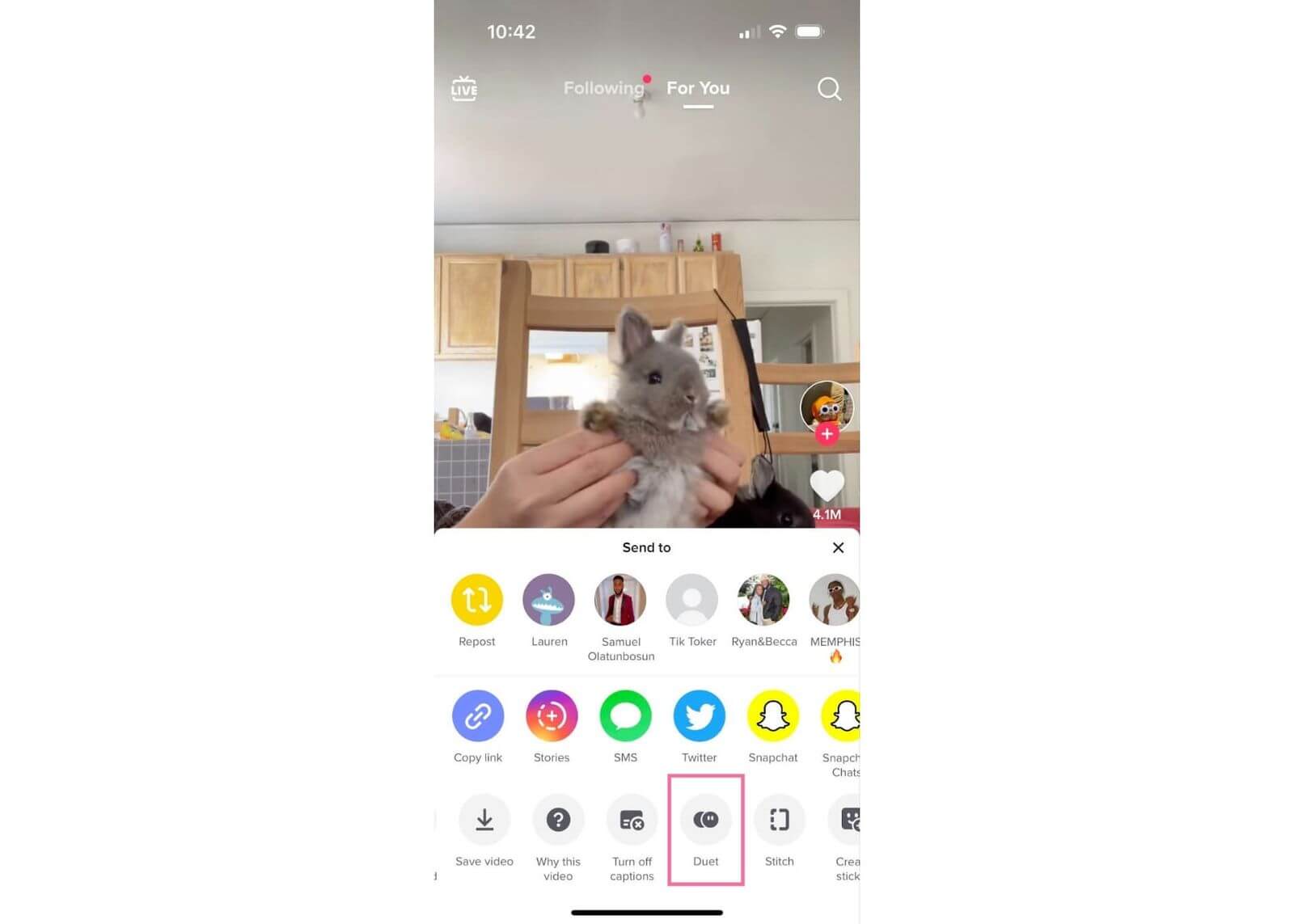
Step 1: Find a TikTok video to duet
Open the TikTok app, on the side of the video you’d like to Duet, tap the Share button. Choose the “Duet” icon
Step 2. Choose a layout
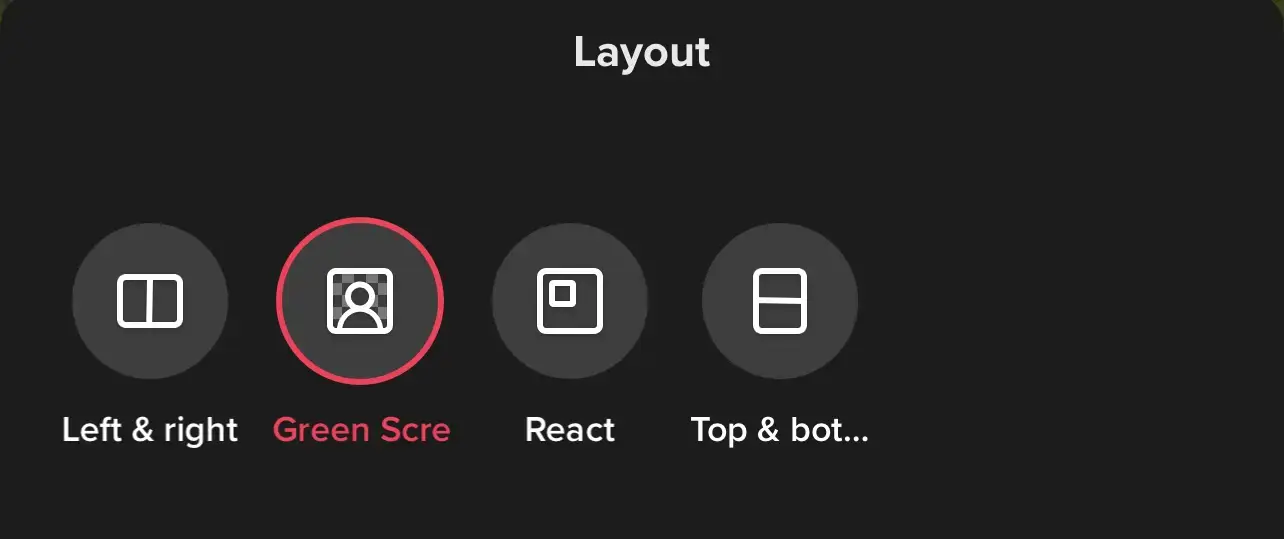
There are 4 different layouts, which are:
- Left & right
- Greenscreen
- React
- Top & bottom
Step 3. Add filter
TikTok will automatically add filters to your duet of the original video if the TikTok you are duetting with utilized them. To remove the filter or add a new one, tap the filter button in the bottom left corner.
Step 4. Record
Tap the circle red button to start your duet.
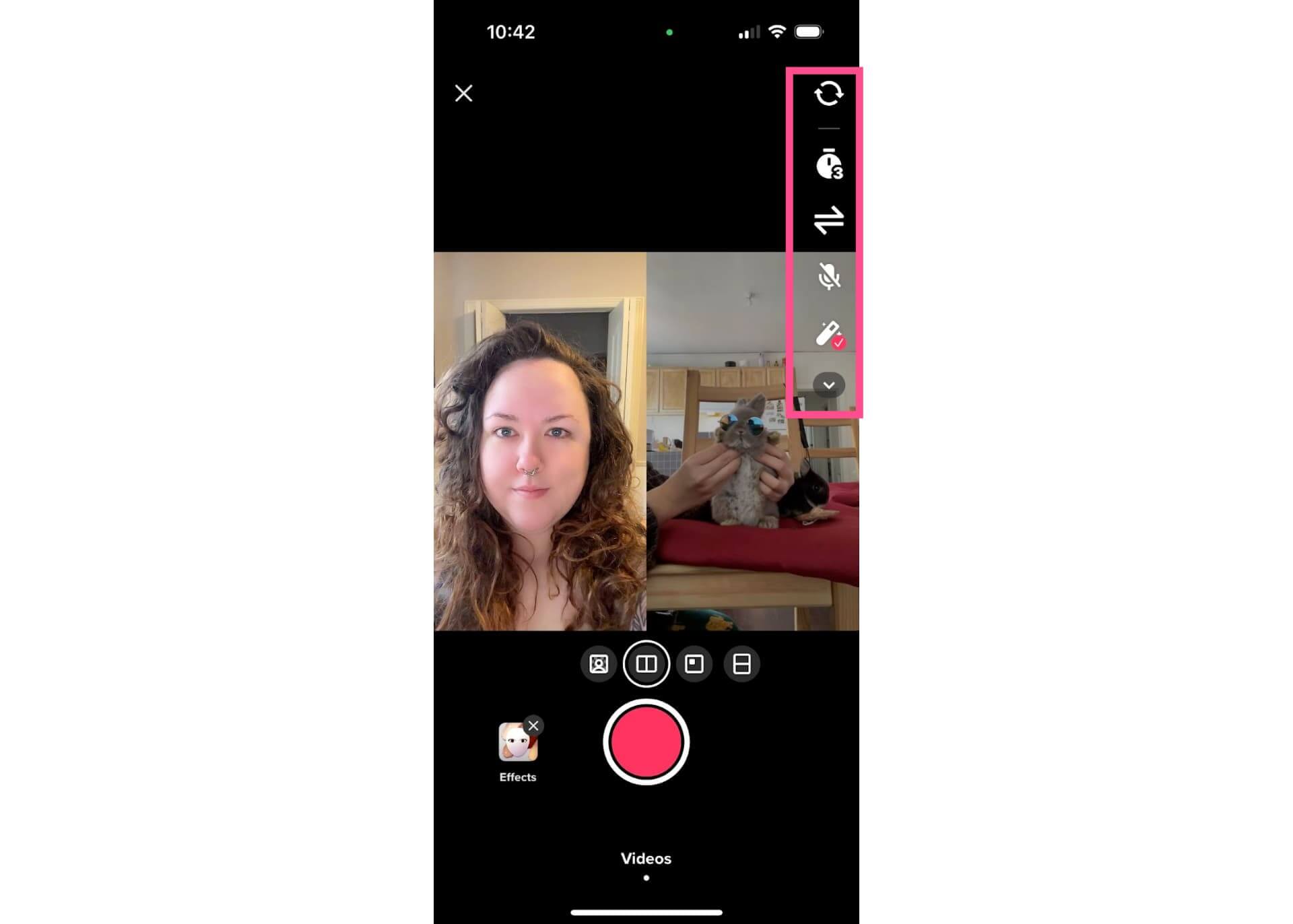
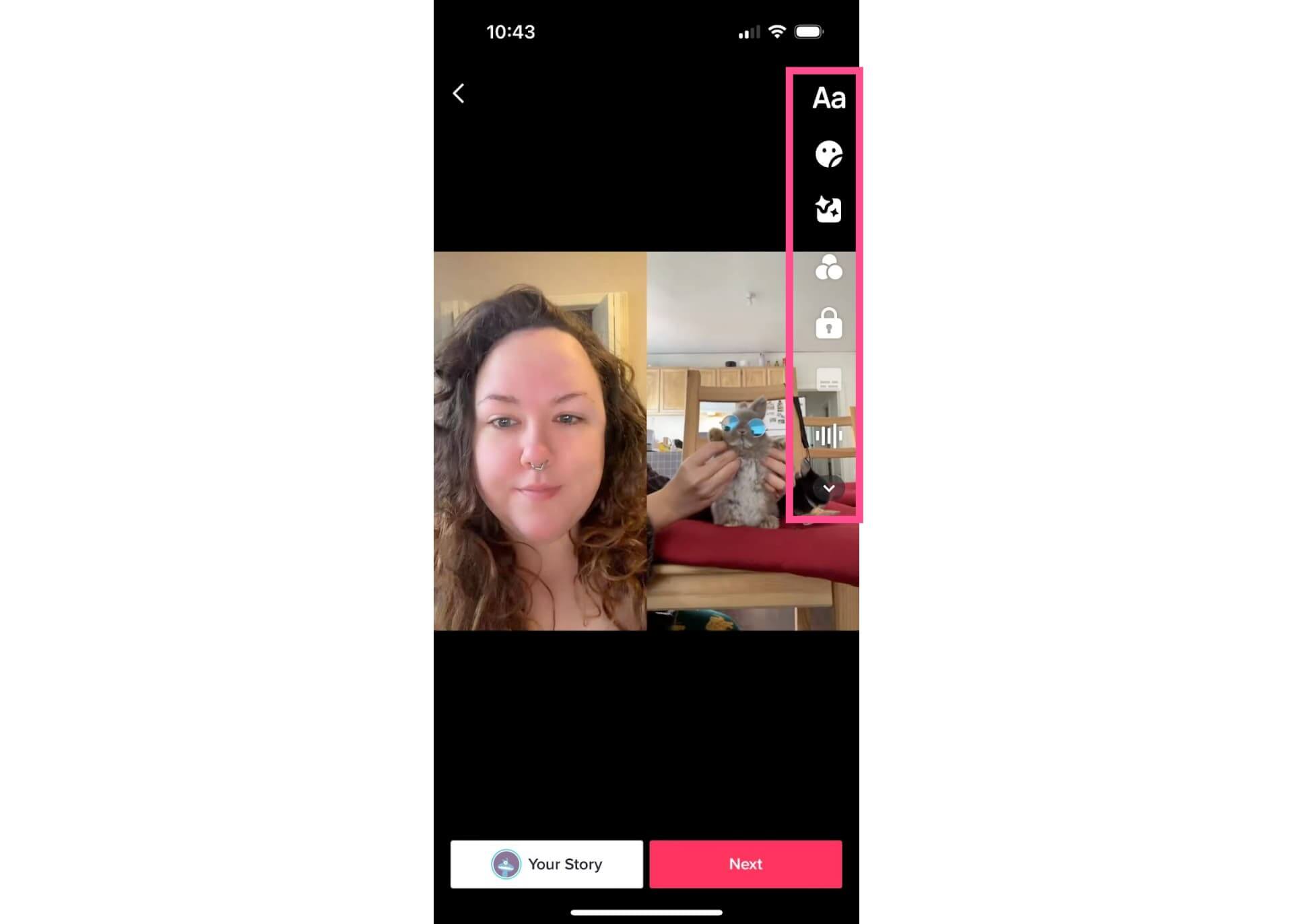
Step 5. Edit the Duet
After finishing the record, you can add:
- Text
- Stickers
- Effects
- Color filter
- Voiceover
- Change sound volume
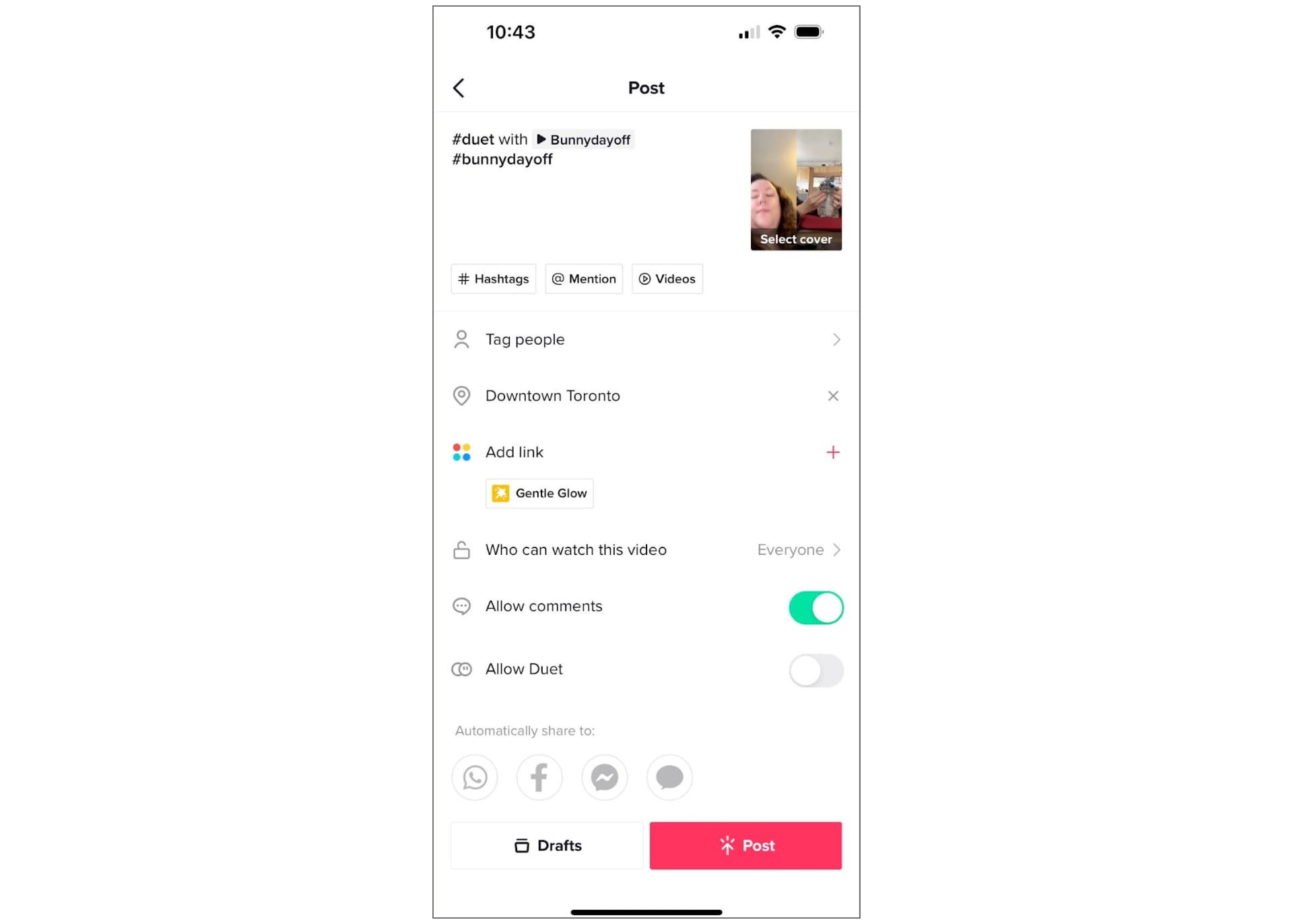
Step 6. Add caption and Post
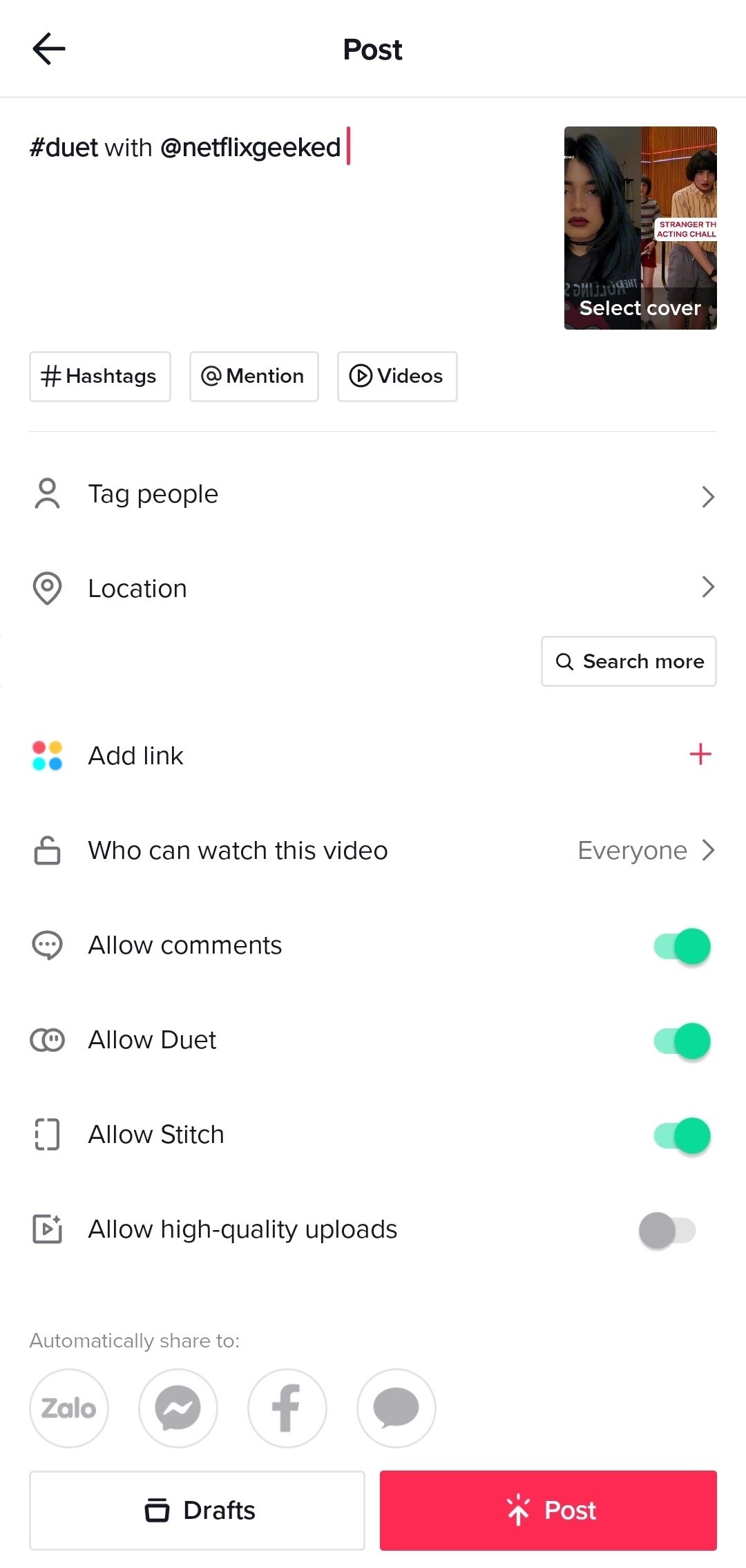
Tap the red button after finishing editing, then you can add a caption, mention, or trending hashtags. Tap Post to post your video.
4. How to Add a Sound to a Duet
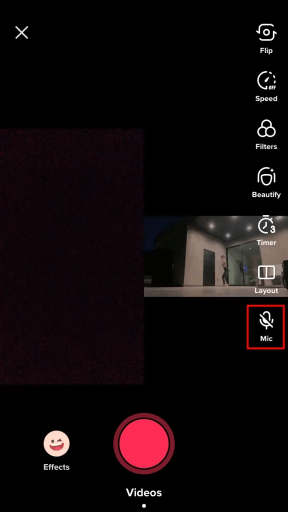
To add a sound to your duet, turn on your microphone on the right-hand panel to record your audio and your own audio will be added.
5. How to Duet on TikTok with a saved video?
Similar to TikTok Stitch, you’re not able to Duet on TikTok with a pre-recorded video. However, you can try it in another way.
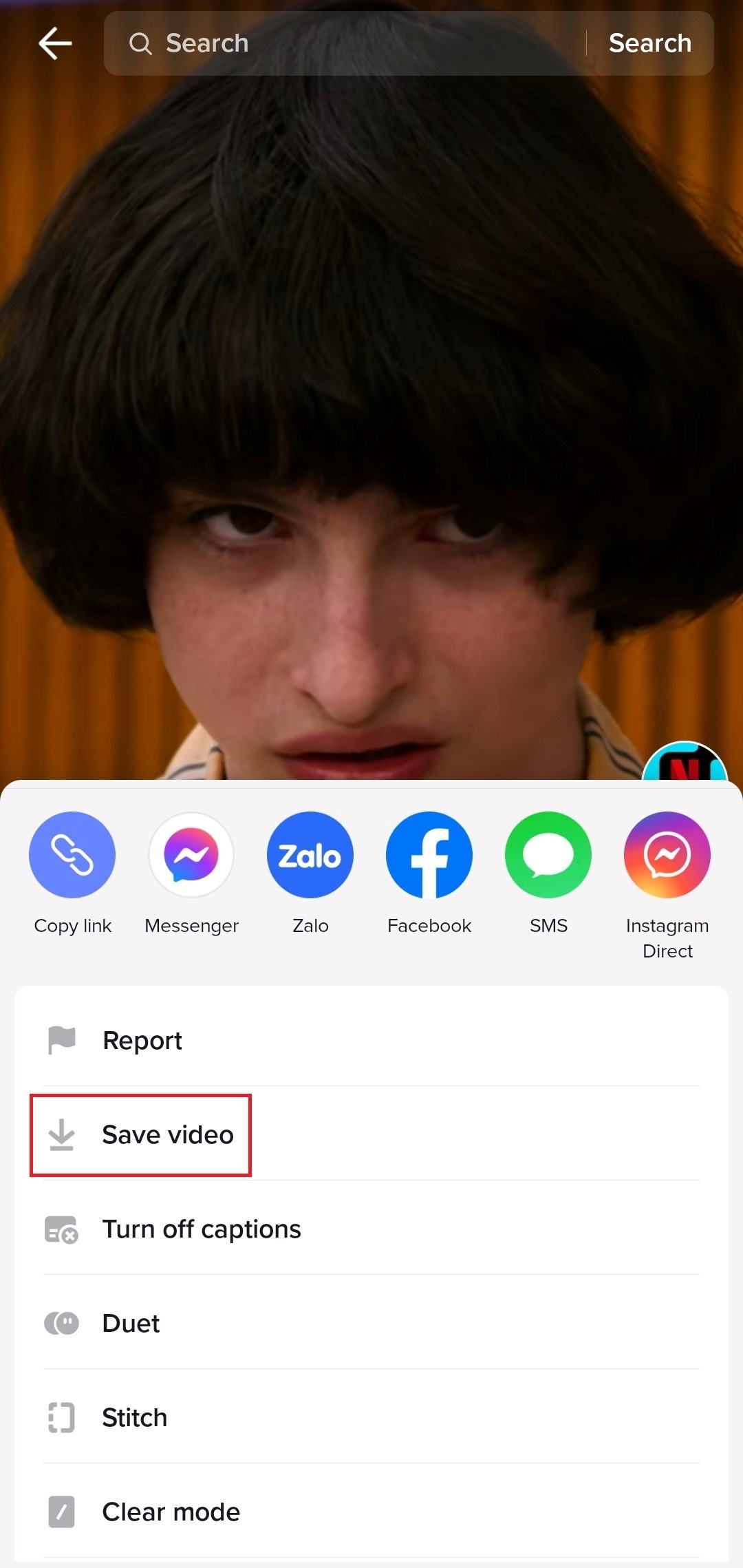
Step 1. Download the TikTok video you want to duet.
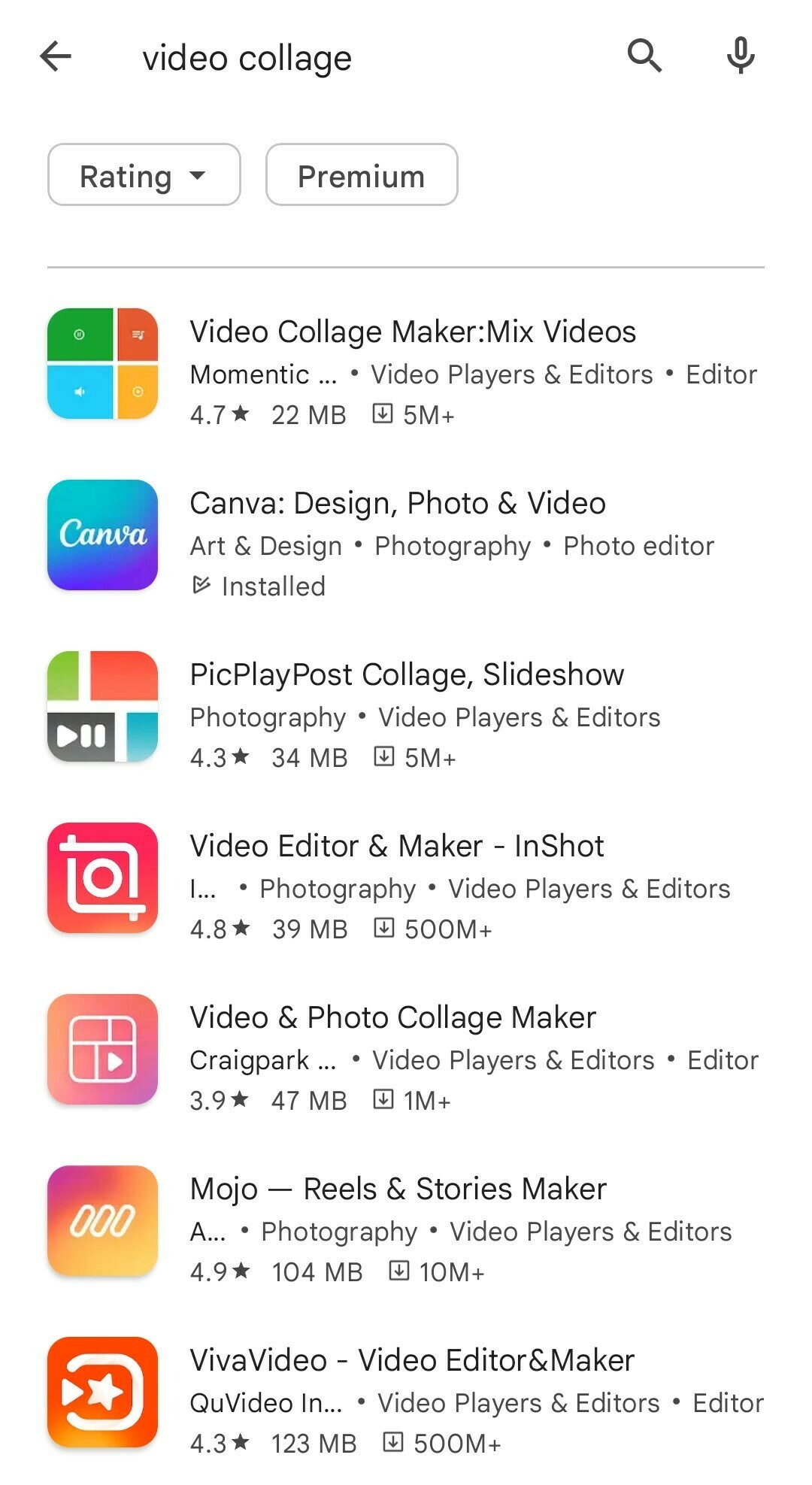
Step 2. Use a third-party app that supports video collage and import your downloaded video and your own video.
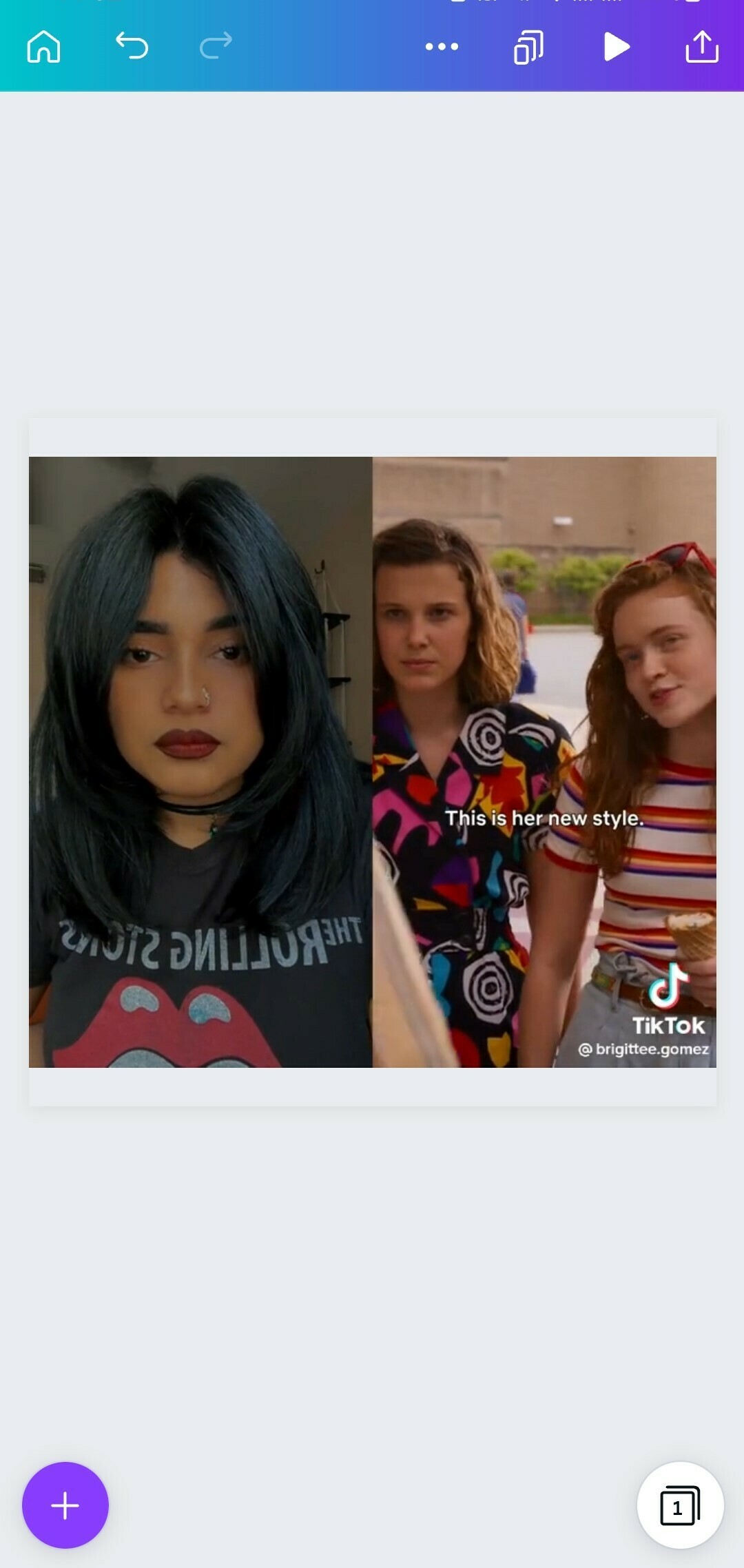
Step 3. Choose the layout you want that fits the two videos in the Duet. Edit and export your video as.mp4.
Step 4. Open the TikTok app and hit the (+) button to create a new video. Select the video you edited with Duet format and tap Next. Write a caption and tag the creator of the original video, then Post your video.
6. How to manage TikTok Duet privacy settings
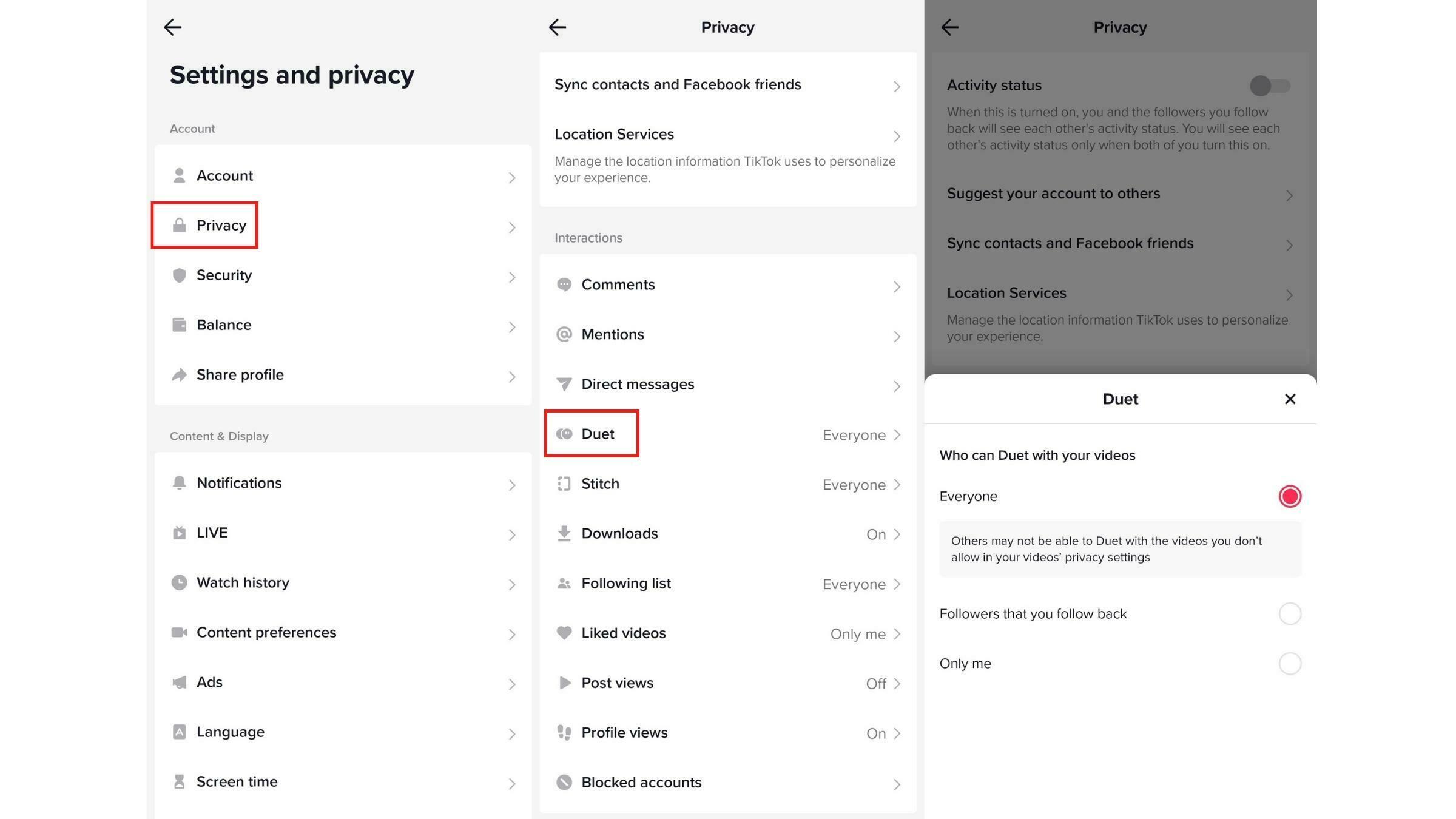
Not all videos enable Duet. It’s up to you to set its permission. To choose who can Duet with your video, follow these instructions:
- Tap Profile at the bottom to visit your page
- Select the Menu button at the top right corner and tap Settings and privacy
- Under the Account tab, tap Privacy, then find Duet
- Choose who you’d like to enable Duet (everyone, your followers, or only you)
7. Best ideas & examples to duet on TikTok
Duet is a great way to reach your audience since it helps TikTok users create content. Successful TikTok Duets are the entertaining ones. More importantly, Duets are capable of empowering your followers.
TikTok Duets certainly can lead to incredible results and that’s why brands should embrace TikTok as soon as possible. If you need some inspiration to start creating TikTok Duets for your business, here’re some amazing custom-made ideas you can get.
Comment or respond to other TikTok videos
This option is particularly beneficial if you possess expertise in a specific niche or field, allowing you to provide professional insights, fact-check information, or share expert tips. You should select a video that is already gaining significant attention on TikTok, as this increases the chance of attracting viewers and encouraging engagement.
For instance, Dr. Shah, widely recognized as @dermdoctor with 13.6 million TikTok followers, frequently utilizes Duet videos to provide his professional input on viral skincare “tips,” aiding users in making well-informed decisions. As an example, he created a “DermDoctor Warns” Duet to caution users against attempting a viral “pimple hack” that circulated on TikTok.
Reaction videos
Reacting to videos is still a thriving trend, especially with the convenience of the Duet feature on TikTok, which simplifies the process. You can create a Duet video where you react to a viral video or a video showcasing people trying your products, following your tips, or participating in your challenges. This approach effectively engages your audience while consistently delivering fresh and entertaining content.
For instance, Hyram, a renowned influencer recognized for his skincare advice, crafted a Duet video in response to a fan’s video. The fan originally shared a before-and-after transformation of her skin after implementing the influencer’s recommendations. Hyram expressed his reaction in the video, conveying his joy upon witnessing the remarkable transformation.
Replicate other creators
TikTok was originally designed to provide entertainment, and the Duet feature enhances this aspect by enabling users to create amusing parodies and funny reenactments of videos made by other content creators. Take a look at how TikTok creator @jsmittyy hilariously imitated Charli D’Amelio in the following Duet.
Guess the result of other videos
A creative method to add excitement and interactivity to your TikTok videos is by transforming them into a game. You can transform your Duet into an entertaining game by attempting to predict the outcome of the original video. Seek out videos that have enough buildup to enable you to make guesses about what will happen at the end.
For example, TikTok creator @mycolordad participated in a Duet with a video featuring another user mixing paint. In this Duet, the creator’s dad engages in a guessing game, attempting to predict the eventual color that will result from the mixture by considering the colors added to it.
Behind the scenes
Create a captivating video showcasing your most extraordinary videography, providing a glimpse of what happens behind the scenes as seen through your eyes.
FAQs: Duet on TikTok
Type in the keyword Duet into the search bar or use hashtags #duet. If you want to be more specific, you can type in #duet @username to find all the TikTok Duets that the creator made.
Play the video you like to Duet with, tap Share/Send to button then find the Duet option.
Visit your Profile, and tap Settings and Privacy in the Menu button. Tap Privacy, then find Duet to choose who you’d like to enable Duet.
It is likely that the creator has disabled the Duet feature so you cannot duet with their videos. When the Duet button is gray, it means you’re not able to duet with the original video.
Let’s make a Duet on TikTok
Ready to create an awesome TikTok Duet that can go viral? You got all the ingredients and all you have to do now is to follow our instructions. TikTok Duet can be confusing at first but you can get familiar with it gradually.
On the other hand, TikTok Duet is beneficial even when you’re running an ad campaign, so think about applying Duet to your TikTok ads strategy. If you are running a Shopify store, you can explore TikTok ad analysis tool that can help you optimize ad creative.