







TikTok is a platform for entertainment, yes, but more and more people are using it as a search engine.
Learning how to write good captions for TikTok helps your videos show up in search results. Just like Google, if you put the right description, use the right word, you have a higher chance to be discovered. This is considered TikTok SEO.
This guide breaks down how you can write catchy TikTok captions and boost your video performance.
Do captions matter on TikTok?
The short answer is yes, and it’s proven by how TikTok search works.
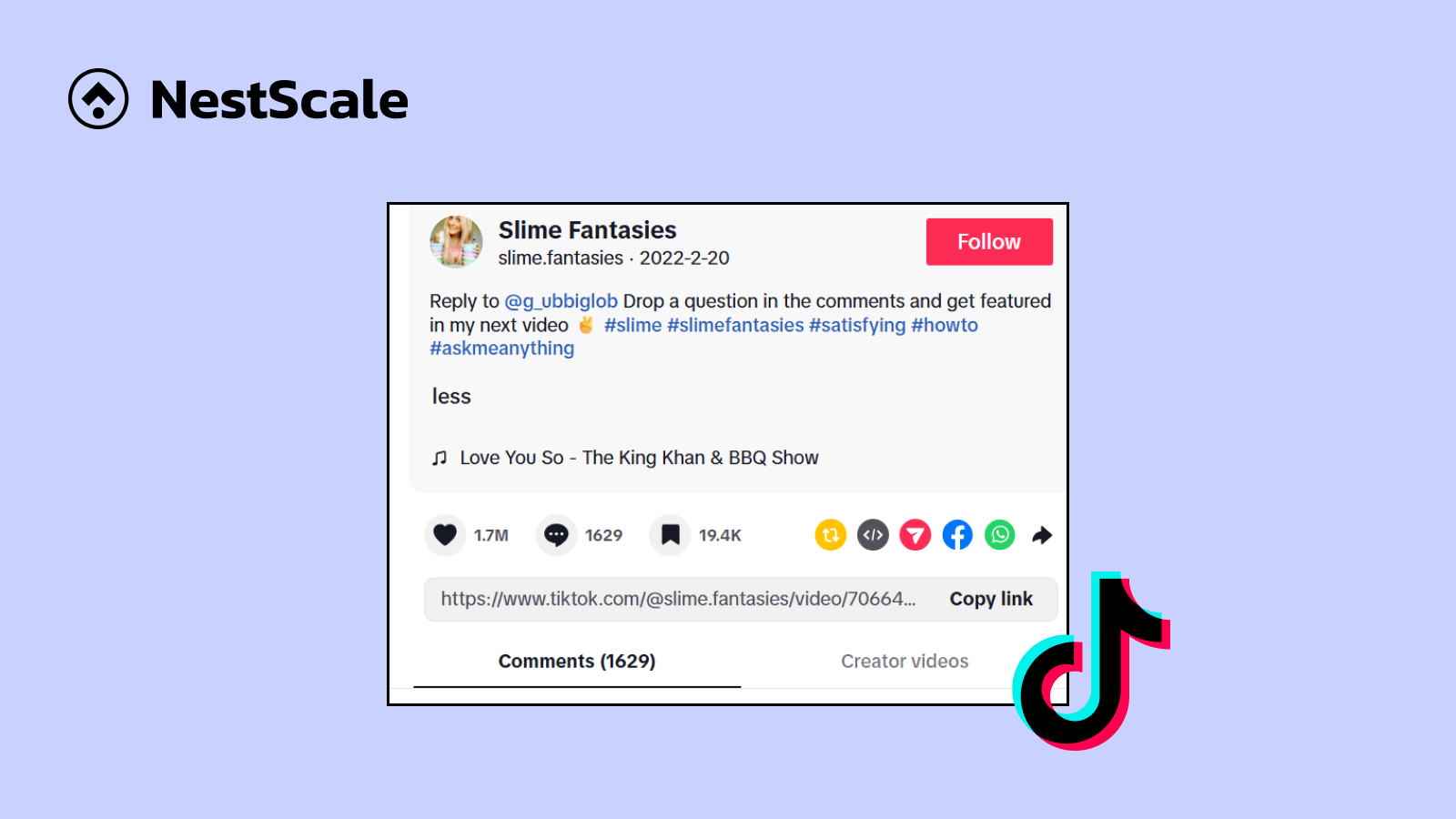
The TikTok algorithm reads and understands the text connected to your video. When you post a video, the system looks for specific words to figure out the main topic of your clip, scanning the caption, the text on your screen, and the spoken audio.
Once TikTok understands your topic, it places your video into a specific category.
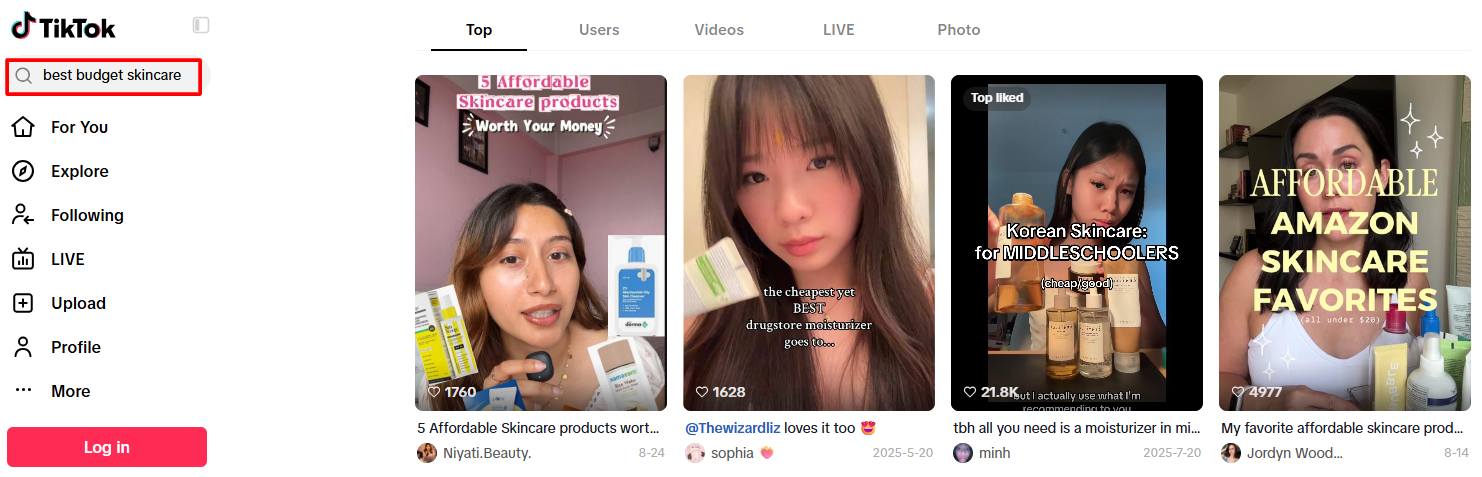
Captions give your videos long-term visibility. By putting clear search terms in your caption, you make sure your content stays discoverable long after it leaves the main feed.
How to write a good caption for TikTok (& examples)
1. Use keywords people search for
Before writing a caption, you should find relevant keywords on TikTok. Open the app, tap the search icon, and type a broad topic related to your business or niche.
Look at the words that automatically pop up under the search bar. These auto-suggested phrases are the exact terms real users are searching for right now. Resources like TikTok Creator Search Insights also highlight popular search topics that users want to learn more about.
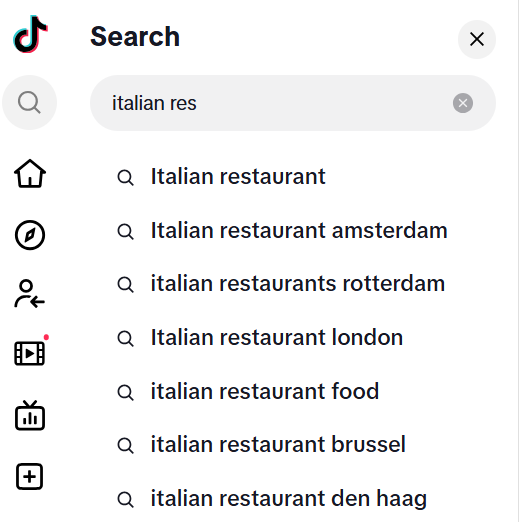
Pick one clear phrase and put it near the beginning of your caption. The more specific the keyword is, the better you can reach your target audience.
2. Summarize your video
After your main keyword, write one or two short sentences explaining what happens in the video.
This summary tells both the user and the app what to expect. Keep it brief and clear.
For example, if your video shows how to treat acne, you can summarize the key steps in the caption.

This summary gives a clear description of the video. It also naturally includes related search terms like “skincare routine” or “teenage acne” without feeling forced.
Of course, this caption also saves time for the viewers and helps your video worth sharing.
3. Add extra details for tutorials
If your video is a tutorial, recipe, or product demonstration, use the caption to list extra details that are hard to fit on the screen.
Viewers often open the caption box while following the video’s instructions or check specific details.
You can use your caption box to include information like:
- Exact ingredient measurements for a recipe.
- A step-by-step list of instructions for a tutorial video.
- Product names or tool lists.
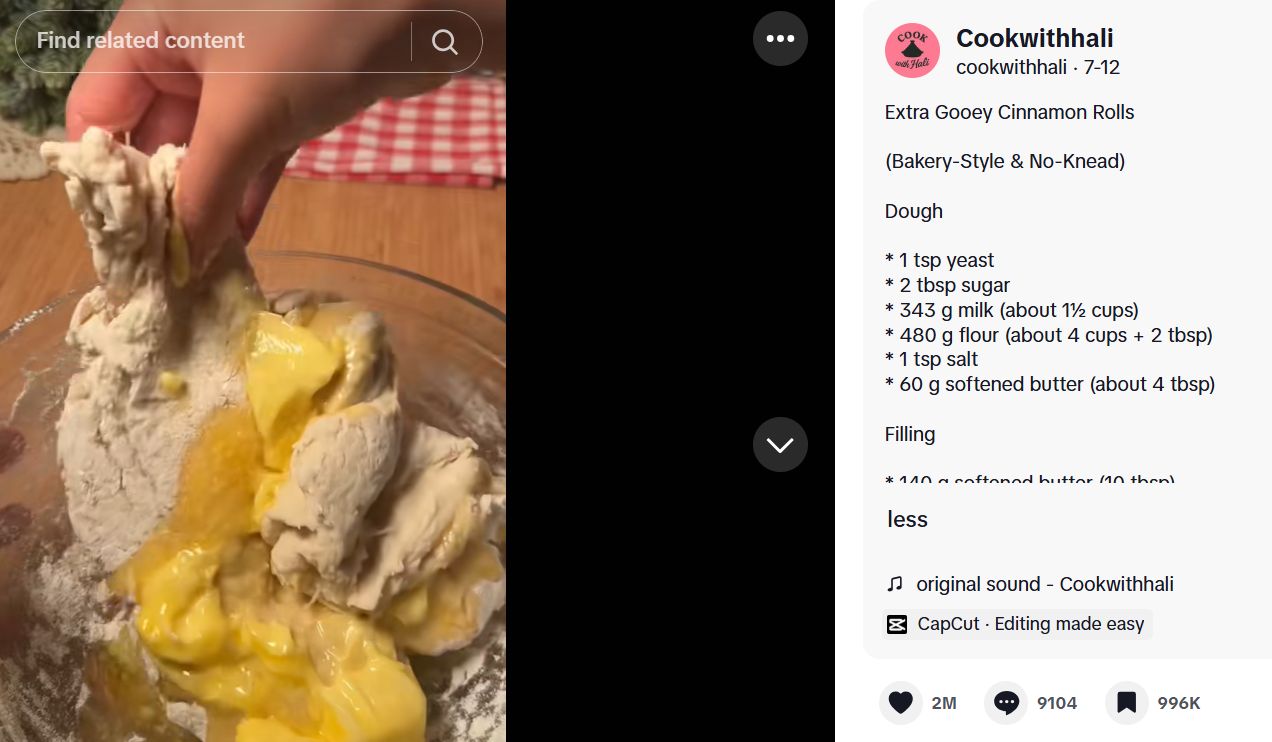
Sometimes, when you don’t add these details, your tutorials end up being unhelpful and hard to follow. These captions can make your video worth saving and keep people on your post longer while they read.
4. Pick the right hashtags
Hashtags help categorize your video, but using too many can make your caption look cluttered and messy.
You do not need to fill your caption with dozens of general tags like #viral or #fyp. These broad tags are too competitive and do not tell TikTok what your video is actually about.
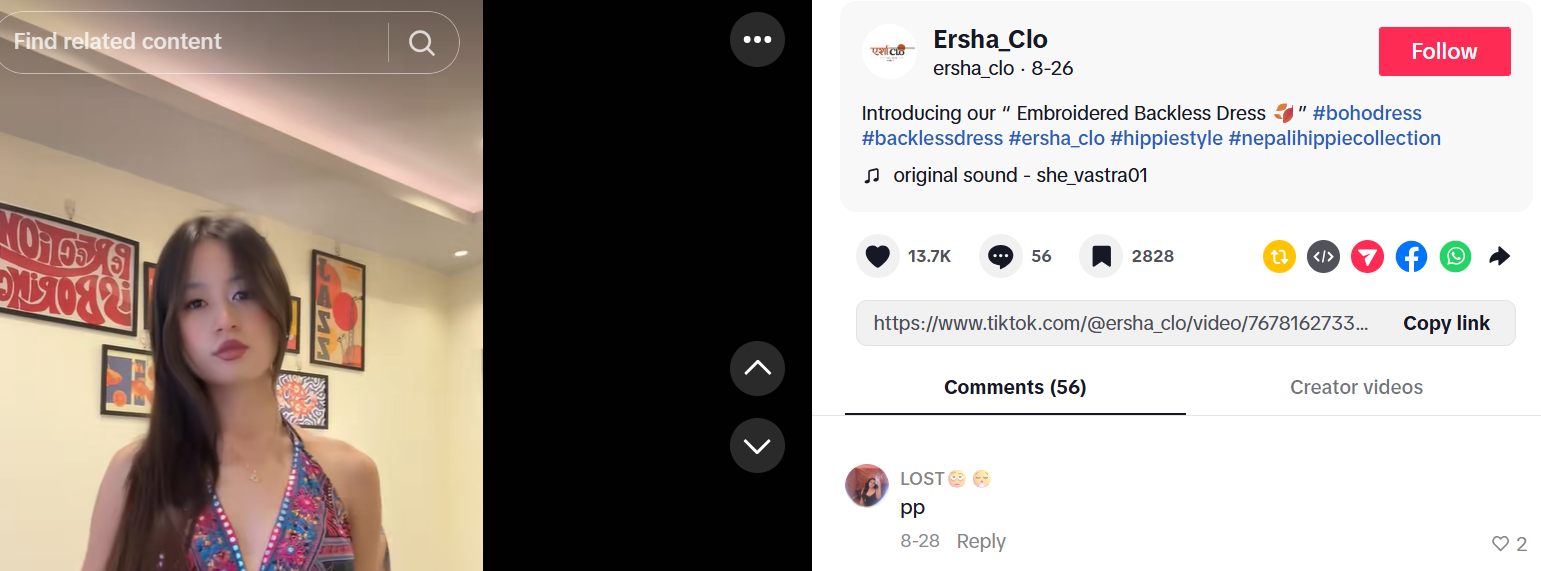
Instead, pick three to five specific hashtags that directly match your topic.
A good approach is to mix two types of tags:
- Topic tags that describe the video content, like #CoffeeRecipe or #FoodASMR
- Audience tags that describe who the video is for, like #HomeBarista or #SmallBusinessOwner.
- Place these hashtags at the bottom of your caption so your main text stays clean and easy to read.
Read more: 5 Viral Small Businesses on TikTok in 2026 (Strategies & Lessons)
5. Include calls-to-action
Adding a simple sentence at the end of your caption gives viewers a clear reason to take action.
TikTok tracks how many people save or comment on your video. High engagement numbers show the platform that your video is useful, which can boost its position in search results.
Keep your request simple and natural.
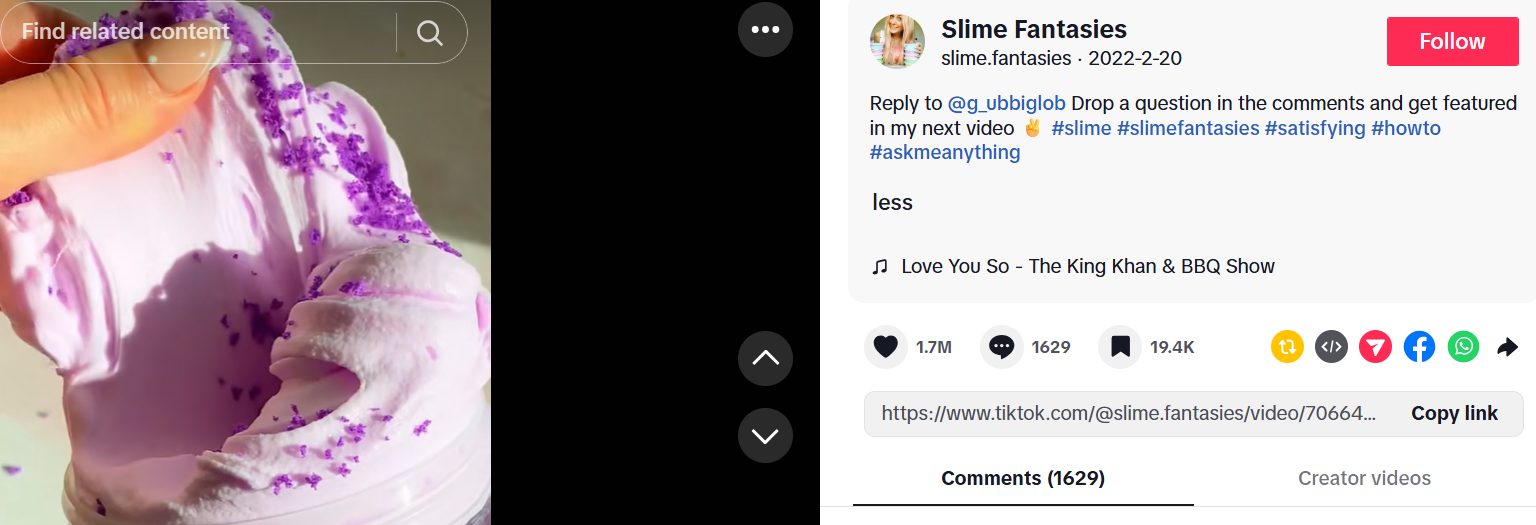
Instead of asking for generic likes, try specific prompts like these:
- “Save this post so you can try this recipe later.”
- “What is your favorite coffee drink? Let me know in the comments.”
- “Drop your questions below and I will answer them in the next video.”
Direct prompts give people a clear reason to respond, making it much easier to start a conversation in your comment section.
Common Caption Mistakes That Hurt TikTok Discovery
Writing captions is usually the final thing to do before posting a TikTok. Here are some common mistakes you should avoid:
Keyword stuffing
This means repeating the same search phrase over and over, or pasting a long list of disconnected words at the end of your caption.
System algorithms are built to recognize unnatural text blocks. If a caption looks like a list of random keywords, TikTok may lower your video’s reach instead of boosting it.
So, remember to keep it funny and short, or detailed and helpful.
Using trending yet irrelevant hashtags
Many creators on TikTok do this: add a trending hashtag without any effort to make the content itself relevant to that trend.
This confuses the TikTok algorithm, and while your video may reach more people because of the tag, it will also be wasted on uninterested audiences. Your video would only have a temporary boost in reach yet nothing actually meaningful, such as new followers and customers.
If you want to join a trend, then you should properly follow that trend.
Too much industry jargon
Using overly complex jargon or internal buzzwords will confuse average viewers.
If your audience does not know or search for technical terms, using them in your caption means you miss out on real search queries. If you have done SEO on Google, you know that the highest-volume keywords are usually very simple.
Stick to plain, natural language that everyday people actually use.
FAQs about TikTok Captions
Yes, TikTok scans your caption text to understand your topic and index your video. Adding relevant keywords to your caption helps your video appear in search results when users look for those specific terms.
It is best to use 3 to 5 specific hashtags that directly describe your topic and target audience. Avoid spamming dozens of generic tags like #FYP, as they do not help the algorithm categorize your video.
Yes, TikTok lets you edit a caption up to seven days after posting. Tap the three dots on your video, choose “Edit post,” and update your text, keywords, or hashtags.
Both work together to give TikTok a strong search signal. On-screen text catches viewer attention during playback, while caption text gives the algorithm a full written description to index.