








Creating social media content can easily consume hours of your day if you do not have a clear strategy in place. As a business owner, creator, or social media manager, spending too much time on a single caption delays other important tasks.
Learning how to create content for social media faster is not about lowering your standards. It is about setting up a simple, practical workflow that saves time, keeps your messaging clear, and helps you post consistently without burnout.
Here are our 12 tips on how to create social media posts more efficiently:
#1: Define 2 to 3 core content pillars
You need a clear direction for your content to avoid creative block. Or else, you may end up with topics that do not align with your goals and audience.
To simplify this step, pick 2 or 3 core content pillars that directly relate to your business. For example:
- A fitness coach might focus on quick workout tips, simple meal ideas, and client success stories.
- A graphic designer might focus on design mistakes to avoid, portfolio showcases, and branding tips.
When you stick to a few clear topics, you always know what to work with.
#2: Build a content calendar
Planning your posts ahead of time gives you a clear overview of your weekly schedule and prevents last-minute rushing.
You do not need complicated tools to keep track of your posts. Simple, accessible tools like Notion, Trello, or a free sheet in Google Sheets work well.
Create a simple table with a few basic columns:
- Publish date
- Content pillar or topic
- Post caption text
- Image or video link
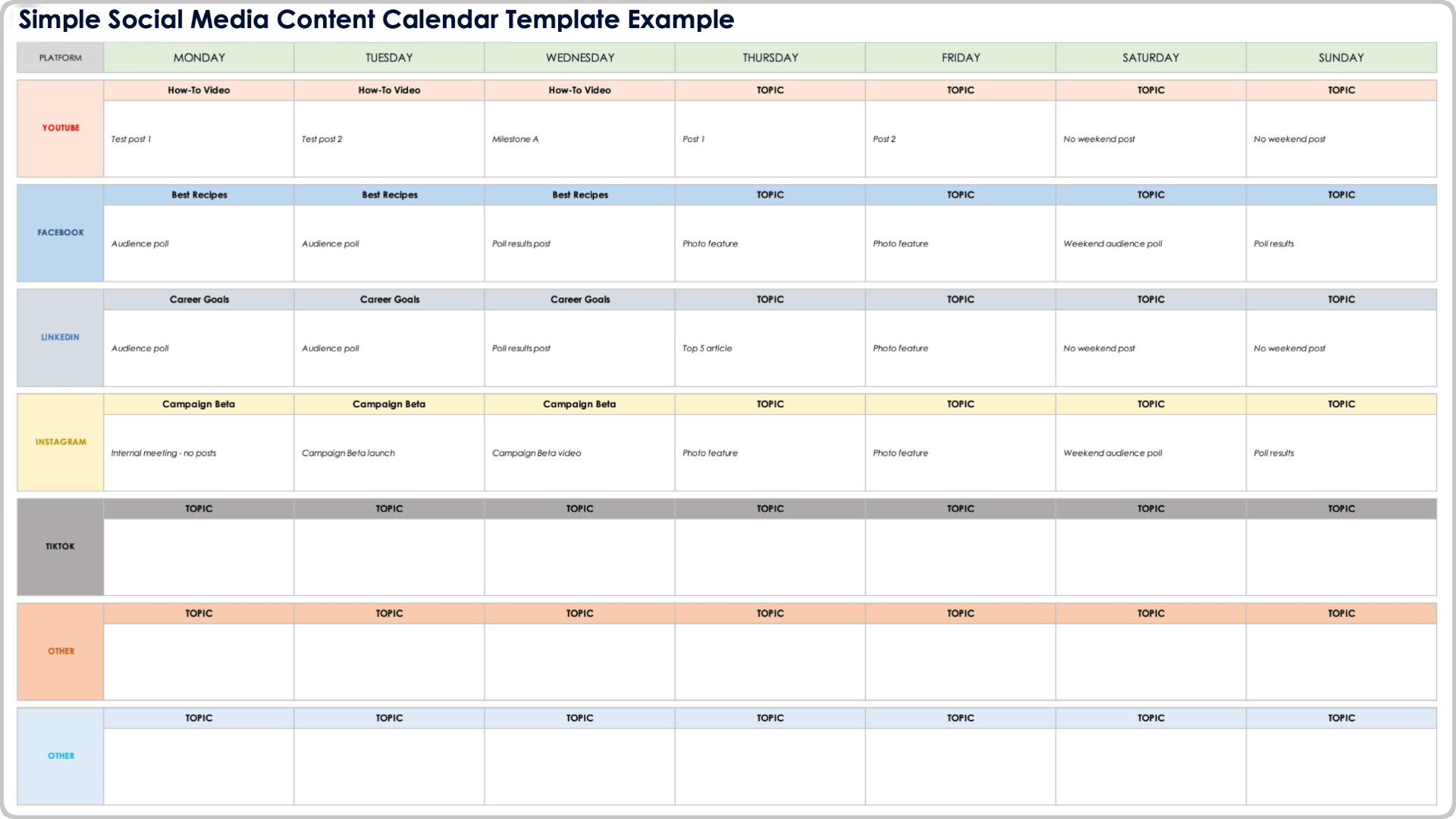
Having your posts organized in one place keeps your schedule clear and helps you avoid repeating the same ideas.
#3: Create universal templates
Designing visuals and formatting text from scratch for every single post takes up a lot of extra time.
Instead, build a small library of reusable visual templates using tools like Canva. Set up 3 to 5 basic layouts using your brand colors and fonts:
- A clean background for text quotes
- A multi-slide template for educational carousels
- A standard layout for announcements
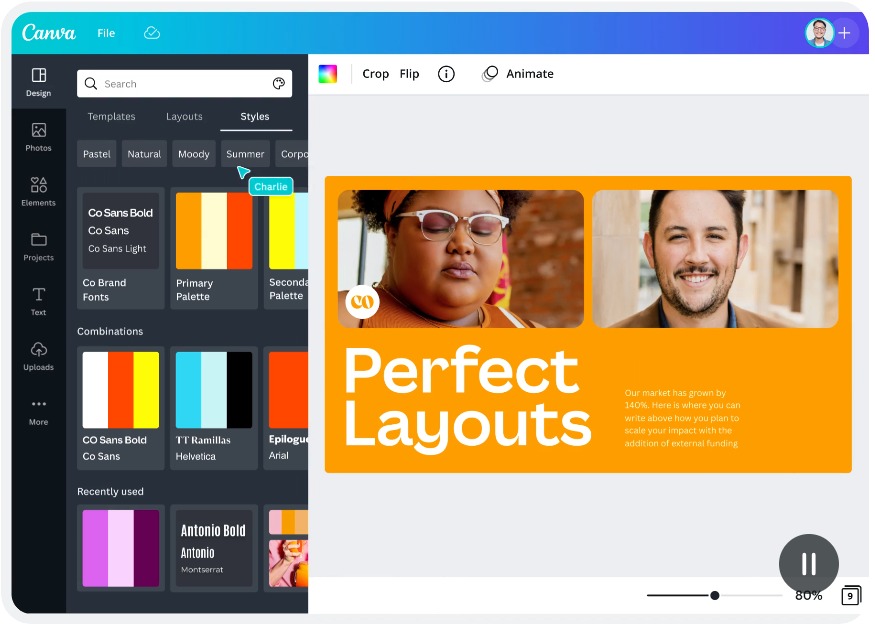
You can also use a basic text structure for your captions: start with an engaging first line, share one main helpful tip, and end with a direct question or call to action. With templates ready, making a post becomes a simple task of adding your new text into an existing format.
#4: Create multiple posts at once
Writing and designing your posts in single batches is much faster than making one post per day. Grouping similar tasks together keeps your focus steady and speeds up your work.
Set aside one dedicated block of time each week to focus on post creation. Try breaking your session into focused steps:
- Spend 20 minutes outlining all your ideas for the week.
- Spend 40 minutes writing all your post captions.
- Spend 30 minutes creating or gathering your visual assets.
Working through your tasks step-by-step saves energy and helps you finish a week of content in a single afternoon.
#5: Turn core assets into multiple social posts
Not every piece of content has to be brand new. You can turn:
- A blog post into multiple Instagram carousels.
- Any short-form video into a TikTok video, a YouTube Short or Reels.
- A client question into a helpful FAQ post.
The content ideas are already there, you just need to repackage them for different platforms. Converting one detailed asset into several smaller posts gives you more reach while saving you hours of brainstorming time.
#6: Organize inspiring videos into folders
Inspiration usually does not happen when you are staring at a blank screen trying to publish a post in five minutes. A better approach is to collect ideas throughout the week as you browse.
Whenever you see a video or post on Instagram or TikTok that has viral hooks, save it immediately. Most social media platforms allow you to organize saved posts into custom folders.
Set up simple folders on your accounts, such as “Video Ideas,” “Design Styles,” or “Hook Formats.” When it is time to create your content, open your saved folders to find practical ideas ready to adapt for your own audience.
#7: Brainstorm content ideas with short outlines
Drafting short outlines keeps your ideas and inspiration fresh.
Write down 3 or 4 bullet points:
- Identify the main problem your audience faces.
- Give 1 or 2 practical ways to address it.
- Add a simple call to action telling the reader what to do next.
If you find yourself struggle to turn a certain idea into a clear outline, maybe it’s not worth your time.
#8: Limit over-editing
Spending 30 minutes tweaking words or overthinking punctuation slows down your output significantly.
Your audience values helpful, easy-to-read information over perfect writing. Give yourself a strict time limit, such as 10 minutes per caption.
Set a timer on your phone while you write. When the timer goes off, give your post one quick read to correct any spelling mistakes, and move on. A clear, helpful post that gets published is always better than a draft sitting in your notes app.
#9: Use AI for first drafts and hooks
Artificial intelligence tools are great for speeding up your research and brainstorming process. Using AI to generate initial ideas or outline drafts helps you overcome writer’s block quickly.
You can ask an AI tool to give you 5 ideas for a caption opening line or to outline a topic into bullet points.
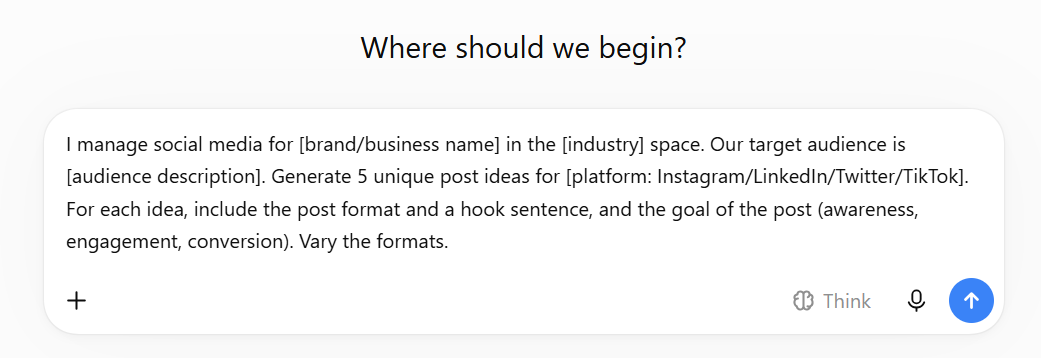
Always review, edit, and adjust the text so it matches your brand voice and provides accurate information.
#10: Schedule posts in bulk using publishing tools
Logging into social platforms manually every day to share your posts takes unnecessary time out of your workday.
Use social media scheduling tools to publish your work automatically. You can use free platform tools like Meta Business Suite for Facebook and Instagram, or multi-platform scheduling tools like Buffer.
Once your weekly batch of posts is finished, upload your text and images to your scheduler, select your dates, and set them to go live automatically. This keeps your social accounts active while freeing up your time for daily business tasks.
#11: Organize assets into folders
Searching through your phone camera roll or cluttered desktop folders for photos and logos wastes valuable time.
Keep your visual files organized in clear digital folders on your computer or cloud storage. Create a main social media folder with simple sub-folders:
- Logos and Icons
- Product Photos
- Profile Pictures
- Graphics and Backgrounds
When you add new images to your library, save them directly into the correct folder. You will always know where your files are when you need them.
#12: Repost your high-performing content
Your audience does not remember every post you shared months ago, and social media algorithms only show your content to a fraction of your followers at any given time.
Check your built-in account analytics once a month to find your top-performing posts from the past 90 days.
Re-share those successful posts again. You can post the content as it is, update the caption opening, or pair the text with a new visual. Re-using content that has already proven to be effective saves creation time while delivering reliable value to your audience.
How to Maintain Quality and Brand Voice
When you speed up your creation process, you still want to ensure your content looks professional and reads well. This is especially true if you use AI tools, since you can easily end up with generic, recycled ideas and brand voice.
Before scheduling any post, run it through this simple 4-point review checklist:
- Is the opening sentence clear and interesting?
- Does the post deliver a practical tip or useful thought?
- Is the text broken into short, readable paragraphs?
- Does the post include a clear next step or call to action?
Taking 30 seconds to review these points guarantees your content stays helpful, clean, and accurate.
FAQs about Fast Social Media Creation
Planning and scheduling your posts 1 to 2 weeks in advance is usually the best approach. It keeps your channels consistent without making your planning feel overwhelming.
Yes, you can share the same main message across different networks, but making slight adjustments for each platform is best. A text-focused post on LinkedIn might need a shorter caption and a vertical image for Instagram. Keep the core idea the same, but format it to fit what users expect on each app.
Having posts scheduled ahead of time does not mean you cannot post about timely news. If a relevant topic comes up, simply pause your automated queue and prioritize the trending topic.




 Facebook Advertising