







 Ecommerce News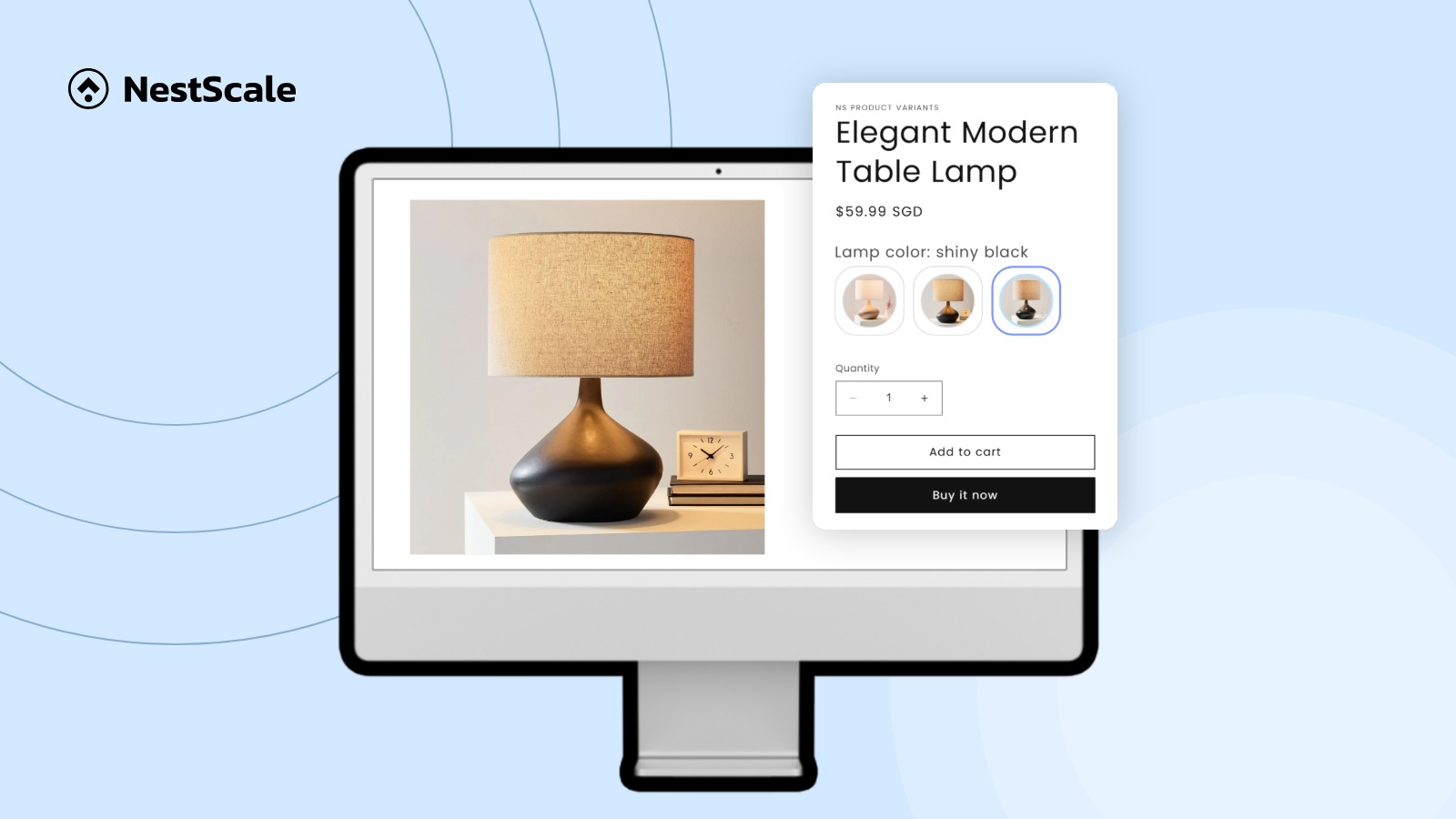
Almost everyone visits a product page before buying, so improving your product page is the most effective way to grow your online store. You do not need a bigger marketing budget to fix this. You just need to make it easier for people to understand and trust what you are selling.
Here is exactly why your pages might be stalling and how you can create high converting product pages.
TL;DR: How to Increase Product Page Conversion
Increasing product page conversion is about improving user experience and building trust. Here are 7 proven ways to convert more customers from your product pages:
- Add Visuals from Different Angles: Take 4 to 5 clear photos in natural light showing all sides of the item and the product in actual use.
- Use an AI Chatbot: Provide instant answers to basic customer questions about shipping or sizes around the clock.
- Emphasize Key Features and Benefits: Use short lists to explain exactly how the product helps the customer instead of writing long blocks of text.
- Display Trust Signals: Place security badges, accepted payment icons, and return guarantee details right next to your checkout button.
- Add an FAQs Section: Answer your most common customer support questions directly on the page to remove buying hesitation.
- Make the Buy Button Pop: Choose a bright, high-contrast color for your add to cart button so it stands out immediately to the human eye.
- Include Customer Reviews and Ratings: Show social proof from verified buyers or record a personal demonstration to build credibility.
1. Why Your Product Pages Are Not Converting
Before you can fix the problem, you have to diagnose it. Most small business owners make the mistake of thinking their price is too high. Usually, it is not the price. It is the lack of information or trust.
1.1. Product description is too generic
If your description only lists basic facts or uses generic phrases, customers will hesitate. Words like “high-quality” or “no.1 on the market” do not magically make your product better than it is. Product description needs to resonate with its target audience: what problems do they have and how your product helps.
1.2. You only include one or two product photos
Online shoppers cannot pick up your product, they rely entirely on your photos to understand the quality. If you only provide one flat, front-facing photo, the customer cannot visualize the product in real life. According to Baymard, 42% of participants tried to grasp the size of the product with the image, but were unable to do so because the image does not convey any volume.
1.3. Lack of social proof
Shopping online feels risky because the customer is sending money to a stranger. If your page has zero reviews or ratings, it looks like a “ghost town.” Humans are biologically wired to look for “social proof.” If no one else has bought it, your visitor doesn’t want to be the first one to take the risk.
There are many ways for new businesses to build trust though. If no one has bought your product, you can be the first one to demonstrate.
1.4. Shipping information is missing
Your customers want to know if the product can be shipped to their location, and even better, how much the shipping cost might be on average. A lot of times, they may also want to know when they will get the product.
This is perhaps the most common reason for a sudden drop-off: lack of shipping information. If a customer sees a product for $40 and gets excited, only to find a whooping $20 shipping charge at checkout, or worse, the product can’t be shipped to their address, they would feel tricked. This shock can immediately lead them to close the tab.
1.5. No available customer support
Sometimes a customer is 95 percent ready to buy, but they have one specific question. “Will this arrive by Friday?” or “Is this dishwasher safe?” If there is no way to get an answer quickly, they won’t wait for an email response. They will simply go to a competitor who has the answer ready.
2. 7 practical ways to optimize your product pages
Now that we know where the leaks are, let’s plug them. You do not need a massive budget or a team of developers to make these changes. Most can be done in a few hours on platforms like Shopify.
2.1. Add visuals from different angles
You do not need a professional photographer to improve your visuals. Most modern smartphones take photos that are more than good enough for web use.
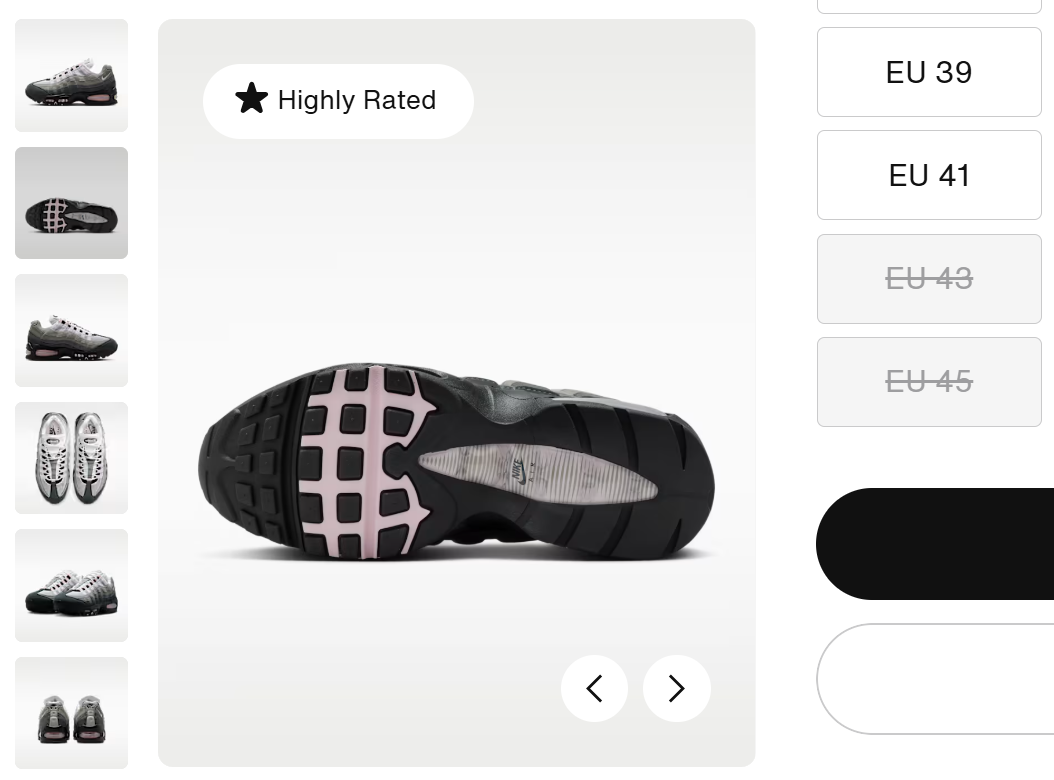
Set up your product near a window with natural, indirect light. Take a photo of the front, the back, a close-up of the texture or a specific feature, and most importantly, a “lifestyle” shot.
A lifestyle shot shows the product in use. If you sell shoes, show it from every angle and let someone wear it – pretty simple, right! This helps the customer understand the scale and how the product fits into their daily routine.
2.2. Use an AI chatbot
Most people cannot be online 24 hours a day to answer questions. This is where adding a live chat or an AI chatbot brings surprising effective. According to McKinsey report, preference for fast AI support has risen significantly among young generations. They would ask AI to get an immediate answer instead of waiting one or two minutes connecting to an agent.
Modern AI bots can now be trained on your specific shipping policies and product details, giving personalized recommendations to customers. By providing the right information at the right time, the bot helps move a person from just looking at a product to actually buying it.
Beyond increasing conversion rate, these tools also save you time and money. They handle repetitive, simple questions so you can focus on the more important parts of running your business.
2.3. Emphasize key features and benefits
Stop writing long, dense paragraphs of text. People do not read on the internet; they scan. If you present a wall of text, the customer will skim over the most important details.
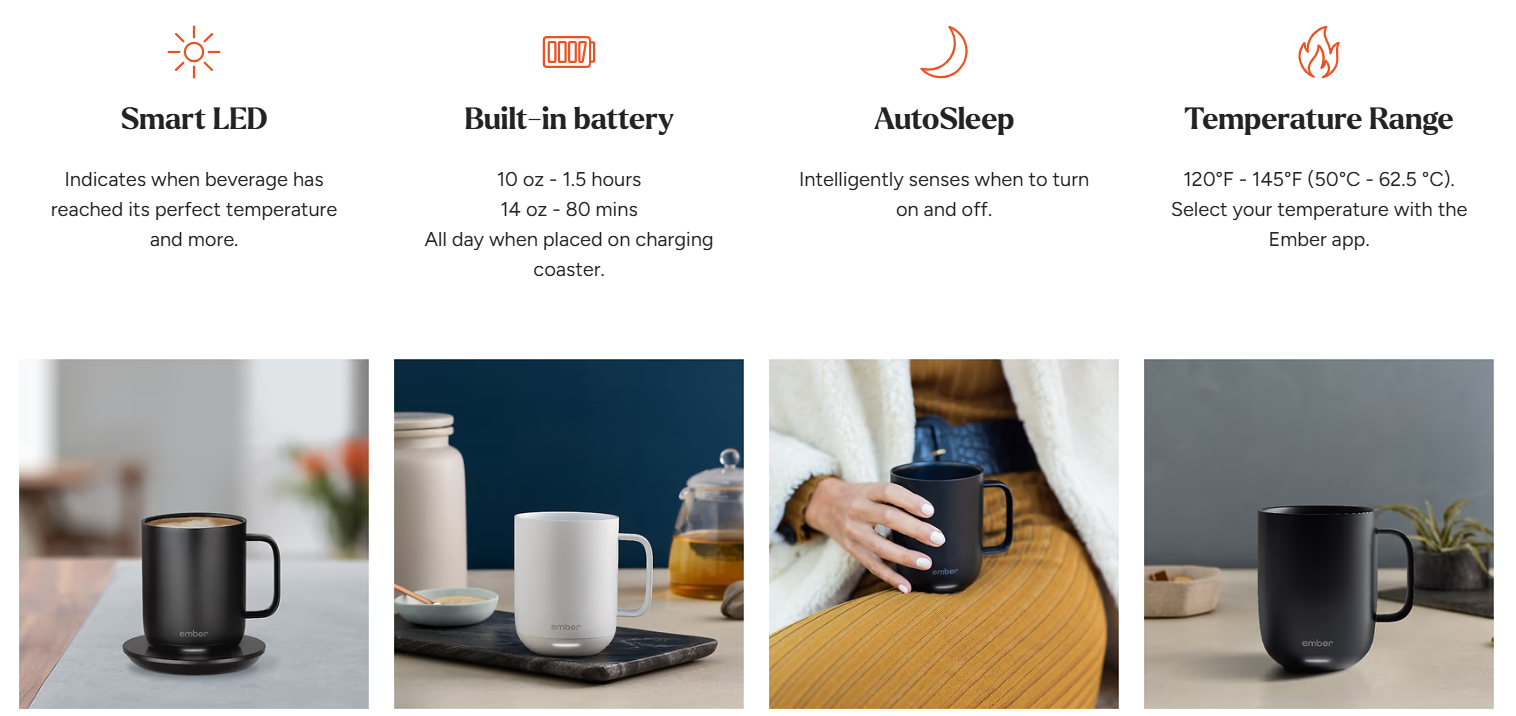
Instead, use a “Features vs. Benefits” approach. A feature is what the product is. A benefit is what the product does for the customer. For example, “Water-resistant fabric” is a feature. “Keeps your electronics dry even in a downpour” is the benefit. Use visual elements to highlight these so they are easy to digest in three seconds or less.
2.4. Display trust signals
Trust signals are small visual cues that tell the customer their data and money are safe. These should be placed near your “Add to Cart” button.
Common trust signals include:
- Icons of accepted payment methods like Visa, Mastercard, or PayPal.
- A small lock icon mentioning “SSL Secure Checkout.”
- Add estimated delivery date for each product
These signals reassure the customer that you are a legitimate business that stands behind its product.
2.5. Add an FAQs section
Customers are often hesitating because they have just one or two simple questions. Take those questions and put them directly on the product page in a simple “Frequently Asked Questions” section.
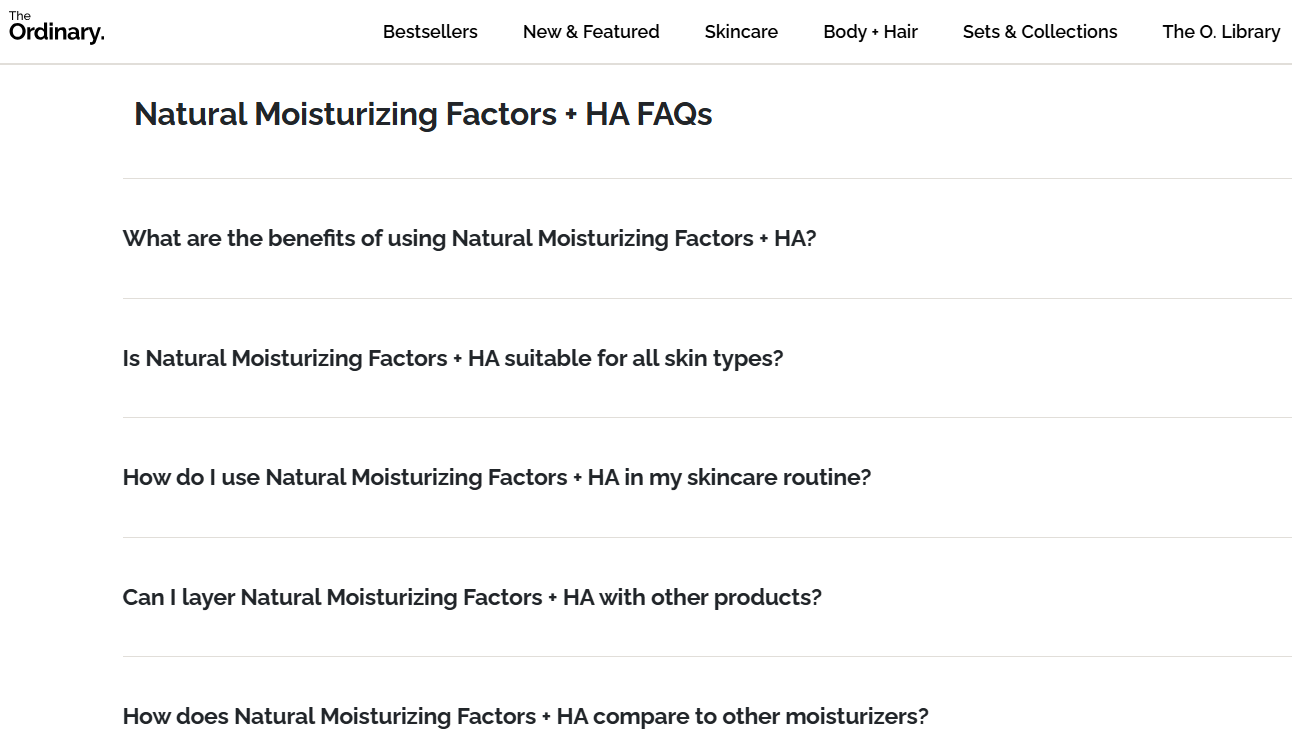
This serves two purposes. First, it helps customers get the answer immediately without needing to contact you. Second, it helps your SEO. When people search for those specific questions on Google, your product page is more likely to show up as the answer.
Relevant reading: How to Create a FAQs Page for Your Online Store
2.6. Make the “Buy” button pop
The most important element on your page is the “Add to Cart” or “Buy Now” button. It should be impossible to miss.
A common mistake is making the button the same color as the rest of the brand. If your website is mostly blue and your button is also blue, it would not be eye-catching enough. Instead, use a contrasting color. If your site is blue, use a bright orange or green button. It may feel a bit loud, but it directs the human eye exactly where it needs to go to complete the transaction.
Where that button leads can also be customized to fit your business model. For instance, BL External Links lets merchants replace the default Add to Cart button with a custom external link, making it easy to send shoppers to Amazon, Etsy, affiliate offers, brand websites, or any other destination. It’s perfect for affiliate stores, dropshipping businesses, and merchants who want to drive traffic to external marketplaces while keeping a seamless shopping experience.
2.7. Include customer reviews and ratings
You need to show that other people have had a positive experience with you. If you are a new business and don’t have many reviews yet, you have to be proactive.
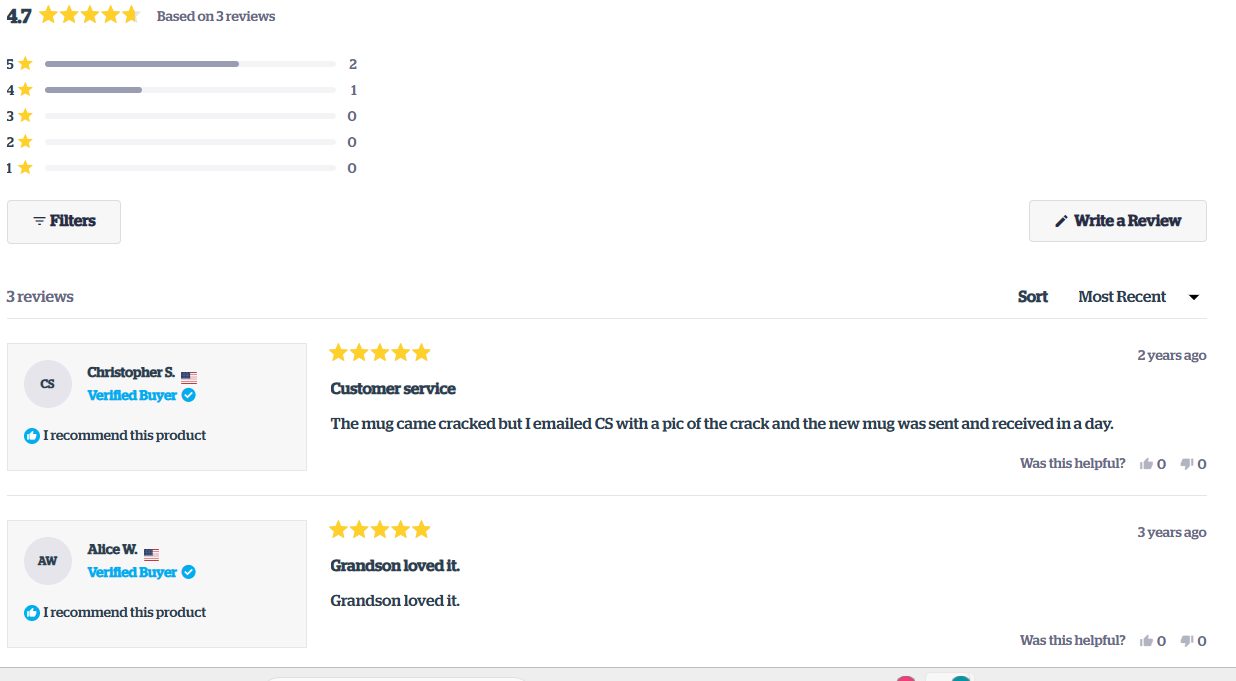
Reach out to your past customers and offer a small discount on their next order in exchange for an honest review. If you have zero sales, record a video of yourself using the product and explaining why you created it. This “founder’s story” can act as a powerful form of social proof until you get your first few dozen customer reviews.
FAQs about Product Page Optimization
You can record yourself using it, or ask friends and family who have tested your product to leave the first few reviews. Real proof works just as well as a five-star rating.
Follow best practices for product pages below:
– Add visuals (including photos and videos)
– Use an AI agent
– Write helpful product descriptions with clear benefits
– Answer common questions
– Make the “‘buy” button stand out
– Include reviews or any kind of proof that the product is legit




 Facebook Advertising